Word or Excel Invoice: When It's Enough and When to Switch
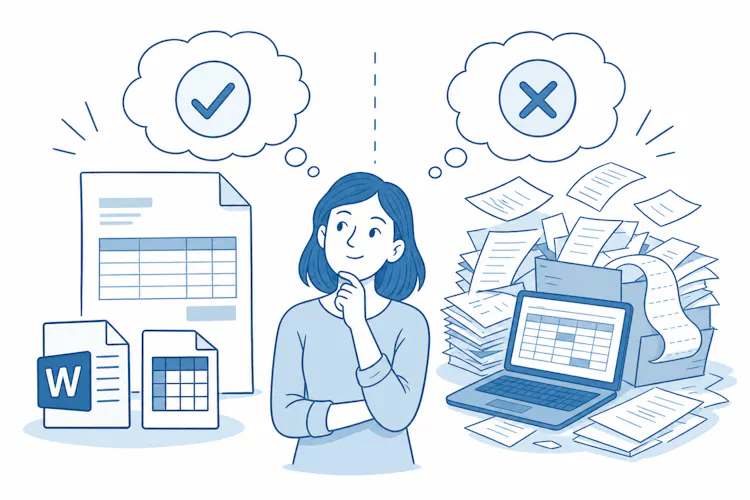
When a Word or Excel Invoice Is Enough
There is no federal rule that tells you which program to use for invoices. An invoice built in Word, in Excel or even written by hand works, as long as it clearly records who sold what, to whom, when and for how much. The content matters, not the tool.
A template in an office program is usually enough when:
you bill a handful of invoices a month, mostly to repeat clients,
you do not collect sales tax, or you collect it in a single state at one rate,
you do all the invoicing yourself and nobody else edits the file,
you do not need to track payments or send invoice data to your bookkeeper.
If most of these apply, a template is a sensible way to start. It still has to carry the same details as an invoice from any software, so check the checklist of what to include on an invoice before you send the first one.

How to set up a template that works
Keep one master file and save every invoice as a new copy.
Send invoices as PDFs, not as editable .docx or .xlsx files.
Log every invoice number in a separate list so you can see the whole sequence.
Check the total and tax formulas once by hand.
Where Word and Excel Templates Go Wrong
An office program has no built-in checks. You are the only safeguard, and that is where mistakes creep in.
Invoice numbering
Every invoice needs a unique number, and the numbers should follow a clear sequence. When you copy a template, it is easy to reuse a number or skip one. The beginner's guide to creating invoice numbers explains how to build a system that stays consistent.
Editing invoices after they are sent
Once a client has an invoice, your copy should match theirs. If you open the original Excel file, change a figure and save it under the same name, your records no longer show what you actually billed. Fix mistakes with a new, corrected invoice or a credit note, not by overwriting the old file.
Formulas and sales tax
Spreadsheet formulas fail quietly: a new line is left out of the total, rounding is off or an old rate stays in the template. Sales tax makes this harder, because rates are set by states and local jurisdictions and differ from place to place. If you sell into several states, see how sales tax in the USA varies by state before you hard-code a rate.
Record keeping
Invoices are part of the records that support the income on your tax return. The IRS generally asks you to keep records for 3 years after filing, and longer in some cases, for example 6 years if you underreport income by more than 25% or 7 years if you claim a bad debt deduction. For files on your computer, that means regular backups and a naming system that still makes sense years later.
Signs It Is Time to Switch to Invoicing Software
Switching pays off once your template starts creating more work than it saves. Typical signals:
You collect sales tax in more than one place. Different rates per location are easy to get wrong by hand.
Your invoice volume grows. Filling in, checking numbers and filing take hours every month.
More than one person invoices. A shared file means two people can use the same number.
You send the same invoice every month. Recurring billing is set up once in software.
Your bookkeeper wants data, not PDFs. Retyping invoices into accounting software costs time and money.
You lose track of who has paid. Finding unpaid invoices means searching through folders.
You bill clients abroad. Foreign currencies and different invoice requirements raise the risk of errors.

A real-world example
A freelance designer sends about five invoices a month for design services and an Excel template works fine. Then she starts selling printed products online to customers in several states. Each order may now need a different sales tax rate depending on where it ships. That is the point where software that calculates tax per invoice saves more time than it costs.
What Invoicing Software Adds, and What It Costs
Compared with a template, software brings a few practical advantages:
automatic numbering with no duplicates or gaps,
saved client details you enter only once,
tax calculation based on the rate you choose,
an overview of paid and unpaid invoices,
data exports for your bookkeeper instead of retyping,
all invoices in one place, ready when you need them.
The downsides are mainly two. Software usually comes with a subscription fee, and your data sits with the provider, so check how you can export it before you commit.
FAQ:
Is an invoice made in Word or Excel valid?
Yes. No federal rule requires specific invoicing software. What matters is that the invoice clearly records the sale, the parties, the date and the amount.
Can I email an invoice created in Excel?
Yes. Convert it to PDF first so the client receives a file that cannot be changed by accident, and keep the same PDF in your records.
How long should I keep my invoices?
The IRS generally recommends 3 years after you file the return. Some situations require longer, such as 6 years if income was underreported by more than 25% or 7 years for a bad debt deduction.
Do I have to show sales tax on my invoices?
It depends on what you sell and where. Sales tax is set by states and local jurisdictions, so whether you collect it, and at what rate, depends on the state rules that apply to your sales.
Can I keep my existing invoice numbers when I switch to software?
Yes. You can continue from the last number in your template or start a new sequence, for example at the start of the year. Just make sure no number is ever used twice.
