How to Create a Professional Sales Receipt: A Step-by-Step Guide

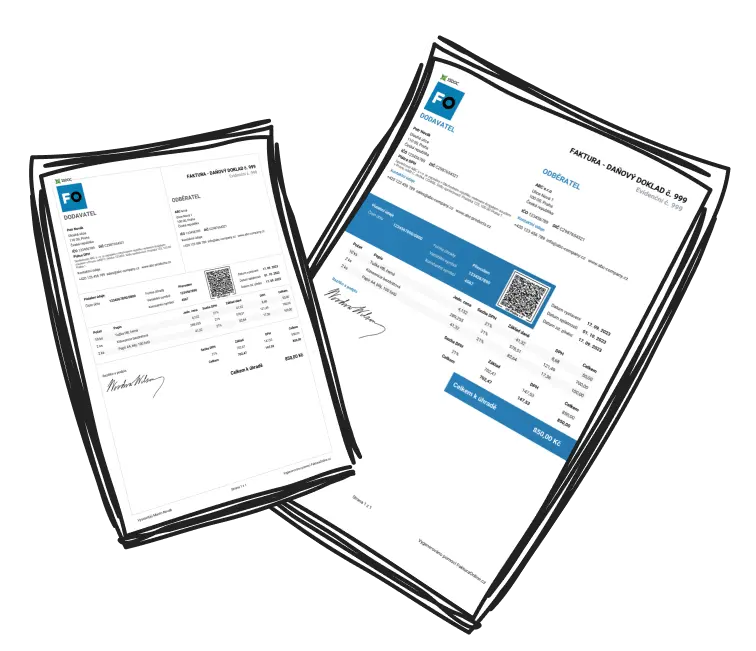
A sales receipt, exemplified by the common 'sales receipt example,' is a formal document that confirms a buyer’s payment for specific goods or services. It serves as proof of the transaction, detailing essential information like the seller’s business, the purchased items, payment amount, and additional terms.
For example, if you buy a laptop from an electronics store, the sales receipt typically includes:
Business name, address, and contact details
Item description (laptop brand, model, and specs)
Price, quantity, subtotal, taxes, and the total amount paid
Payment method (e.g., cash or credit)
Unique receipt number for reference
Transaction date and additional notes, such as return policies
Well-organized receipts often look similar to those issued by retailers like Amazon or Walmart, customized with unique branding.
How Can I Create a Professional Sales Receipt?
Creating a professional sales receipt, similar in quality to a reliable sales receipt example, is simple if you follow these steps:
Choose a Reliable Tool: Utilize software like QuickBooks, Microsoft Excel, Google Docs, or specialized tools such as Zoho Invoice for professional receipt templates.
Incorporate Business Branding: Add your business name, logo, address, and contact information. This enhances credibility and helps customers recognize your brand.
Organize the Layout: Include clear sections for store details, customer information, itemized purchases, payment details, and terms & conditions. Proper organization ensures clarity.
Assign Unique Numbers: Use unique receipt or invoice numbers for each sale to simplify record-keeping and tax compliance.
Detail Each Transaction: List items/services sold, including quantity, price, discounts, tax breakdowns, and the grand total. Clearly mention the payment method and date.
Adhere to Legal Requirements: Include applicable tax details (like VAT or GST) and customize receipts to align with local regulations.
Make It Accessible: If digital, save the receipt as a PDF to prevent tampering. For physical copies, ensure quality printing.

Tip
Use software like QuickBooks or Canva to elevate the professional appearance of your sales receipts.
What Are the Key Elements of a Sales Receipt?
A properly designed sales receipt, akin to a detailed sales receipt example, includes these key components:
Business Information: Add your business name, logo, physical address, phone number, and website (if applicable).
Transaction Date & Receipt Number: These enhance organization and make future referencing easy.
Customer Details (Optional): Include the buyer’s name or contact information for personalized interactions.
Itemized List: Detail each product/service with a description, quantity, price per unit, and the subtotal.
Payment Information: List the subtotal, taxes, discounts, and total amount paid. Specify the payment method (e.g., cash, credit card).
Tax Details: Mention applicable tax rates, amounts, and tax identification numbers.
Terms & Policies: Include return policies, warranties, or disclaimers to manage post-sale customer expectations.

Missing essential elements can render sales receipts incomplete or legally invalid.
Why Is It Important to Provide a Sales Receipt?
Sales receipts are essential for both businesses and customers. For businesses, it acts as a legal document, helping track sales, manage inventory, and comply with tax or auditing requirements. Receipts also reinforce your brand’s reliability and professionalism.
For customers, a receipt is proof of purchase necessary for warranty claims, returns, or budget monitoring. Additionally, organized receipt practices help resolve disputes and fulfill legal obligations in certain jurisdictions. Skipping this step could damage trust or invite penalties.
Keep copies of receipts for your records for at least a few years.