Subscription invoice – where to find it
1 minutes readShare on:

Once the subscription is paid, the invoice for your subscription will be available directly in your account, and we will also send it to you by email.
Where can I find the invoice?
You can find your subscription invoice by logging into your InvoiceOnline account:
Open the My Account section
Go to Extend the subscription
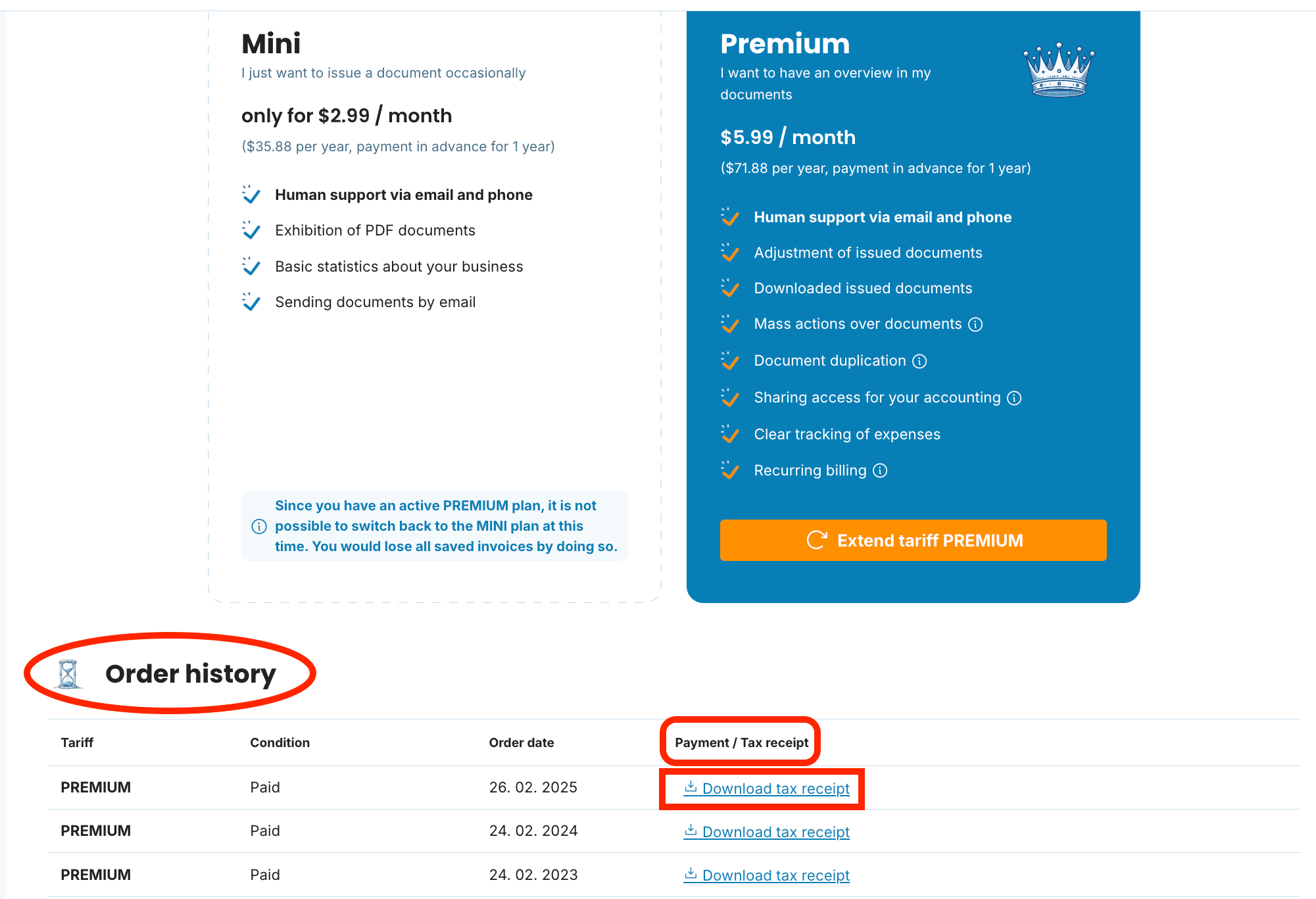
At the very bottom of the page, you'll see Order history
In this section, under the Payment / Tax receipt column, you will see the option to view and download the invoice after payment
Want to add some details to your invoice?
Contact us at [email protected] and we’ll be happy to set everything up according to your needs.
With us, everyone can manage
documents with easeCreate Document
documents with easeCreate Document