Change of login details
To log into an account at InvoiceOnline.com, two pieces of data are used:
Client's e-mail, which was used during the registration
Password, which was sent to the client's e-mail after registration
🔐 Change of password
Do you want to change your password? You can do it in just a few moments directly from your account. You can update your password anytime in the My Account – Change Password section.
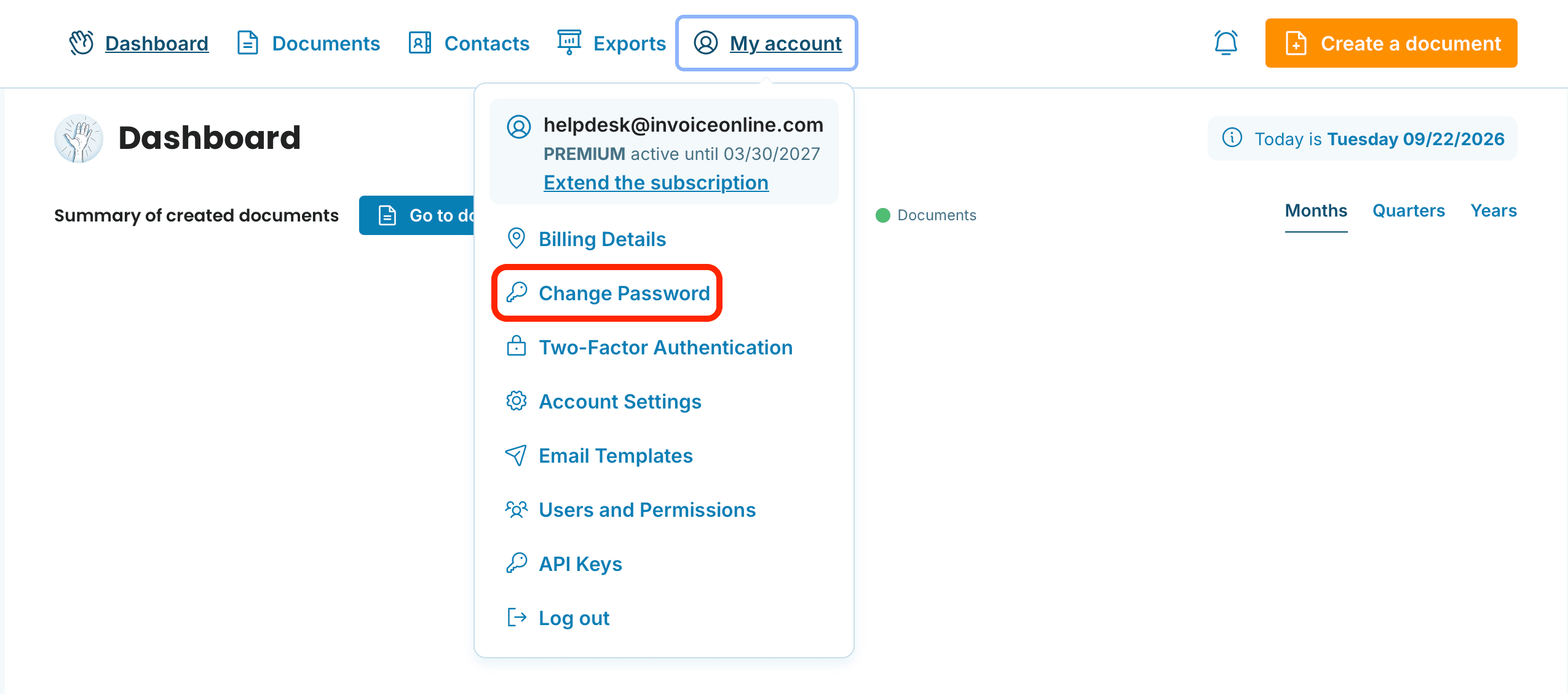
Log in to your account.
Click on My Account in the top right corner.
Select Change Password.
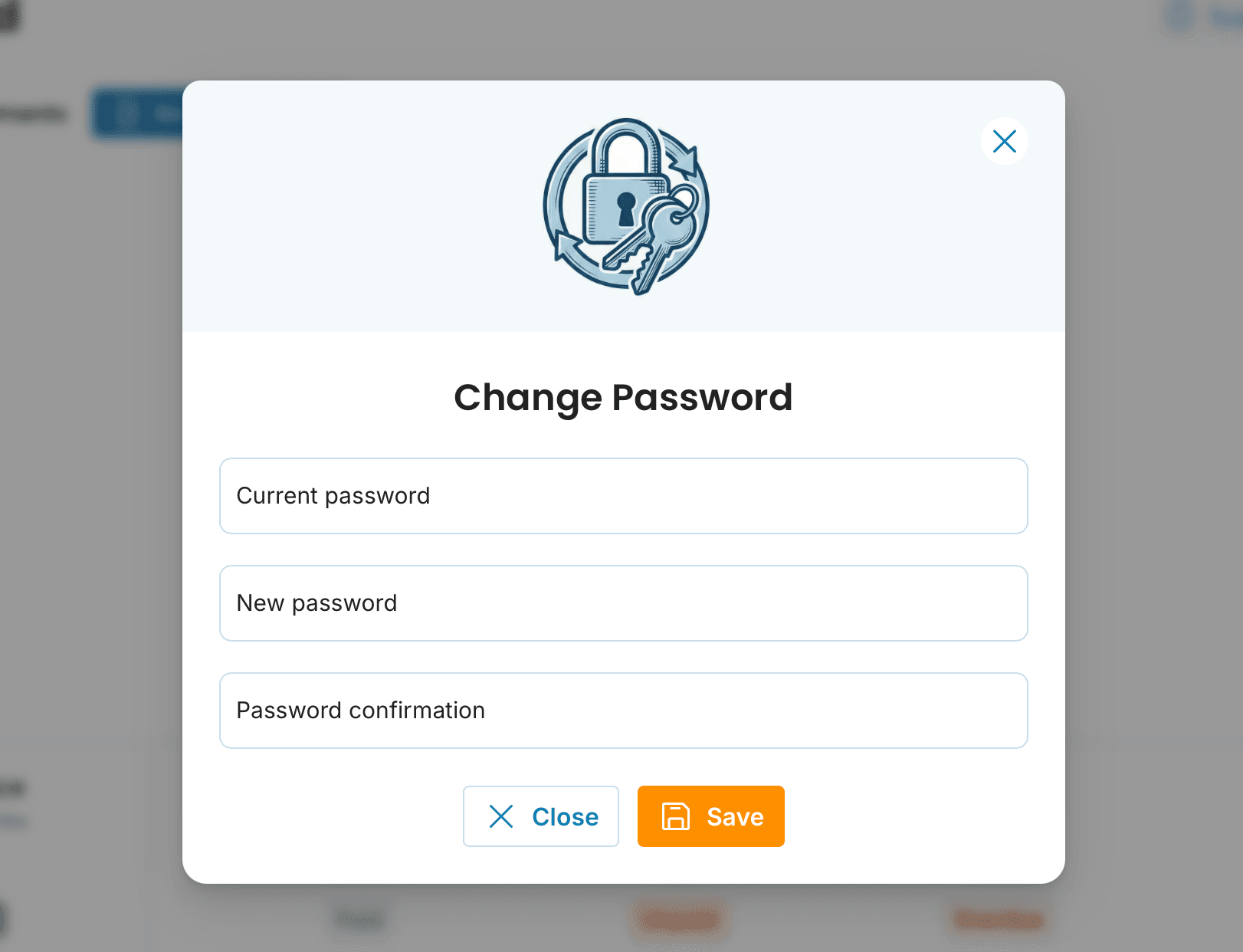
Enter your current password, your new password, and confirm the new password.
Then click Save to confirm the change.
For even better account security, we recommend enabling two-factor authentication (2FA) alongside your new password — you'll then enter a one-time code from your phone when logging in.

Still using the original password?
If you’ve never changed your password, the original unique code sent to you during registration is still valid. Can’t find it? Simply reset it via the Forgotten Password page.
📩 In need of changing your email?
For security reasons, it is not possible to change your email address directly within the InvoiceOnline.com interface. However, if you need to update the email linked to your account, just contact our support team via [email protected]
