Forgotten password
It can happen to anyone - sometimes you just can’t log in because you’ve forgotten your password. If this happens while trying to sign in to InvoiceOnline.com, don’t worry. Resetting your password is quick and easy.
How to reset your password step by step:
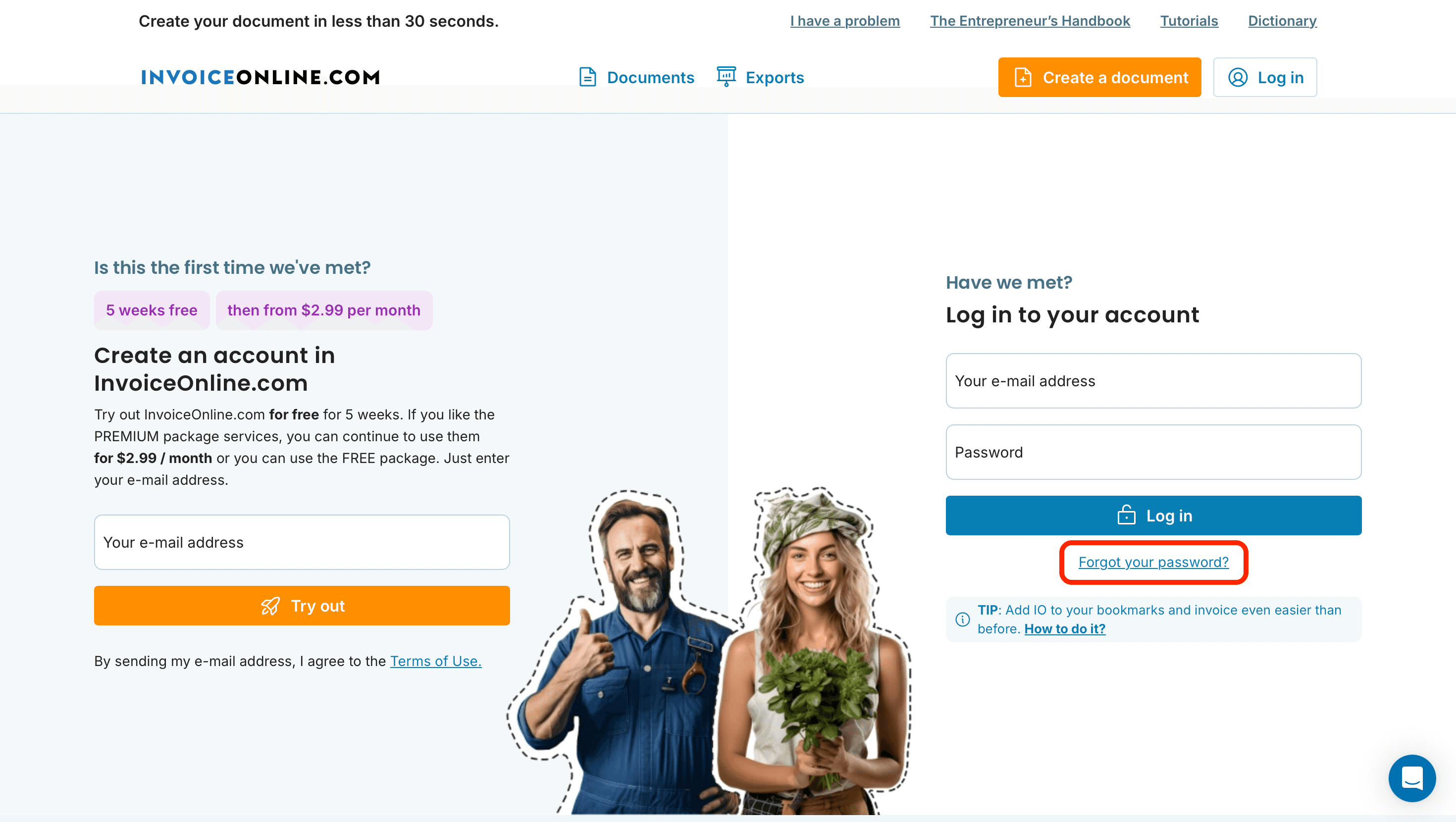
Go to the login page at InvoiceOnline.com and click "Log in".
Below the login form, click the link "Forgot your password?"
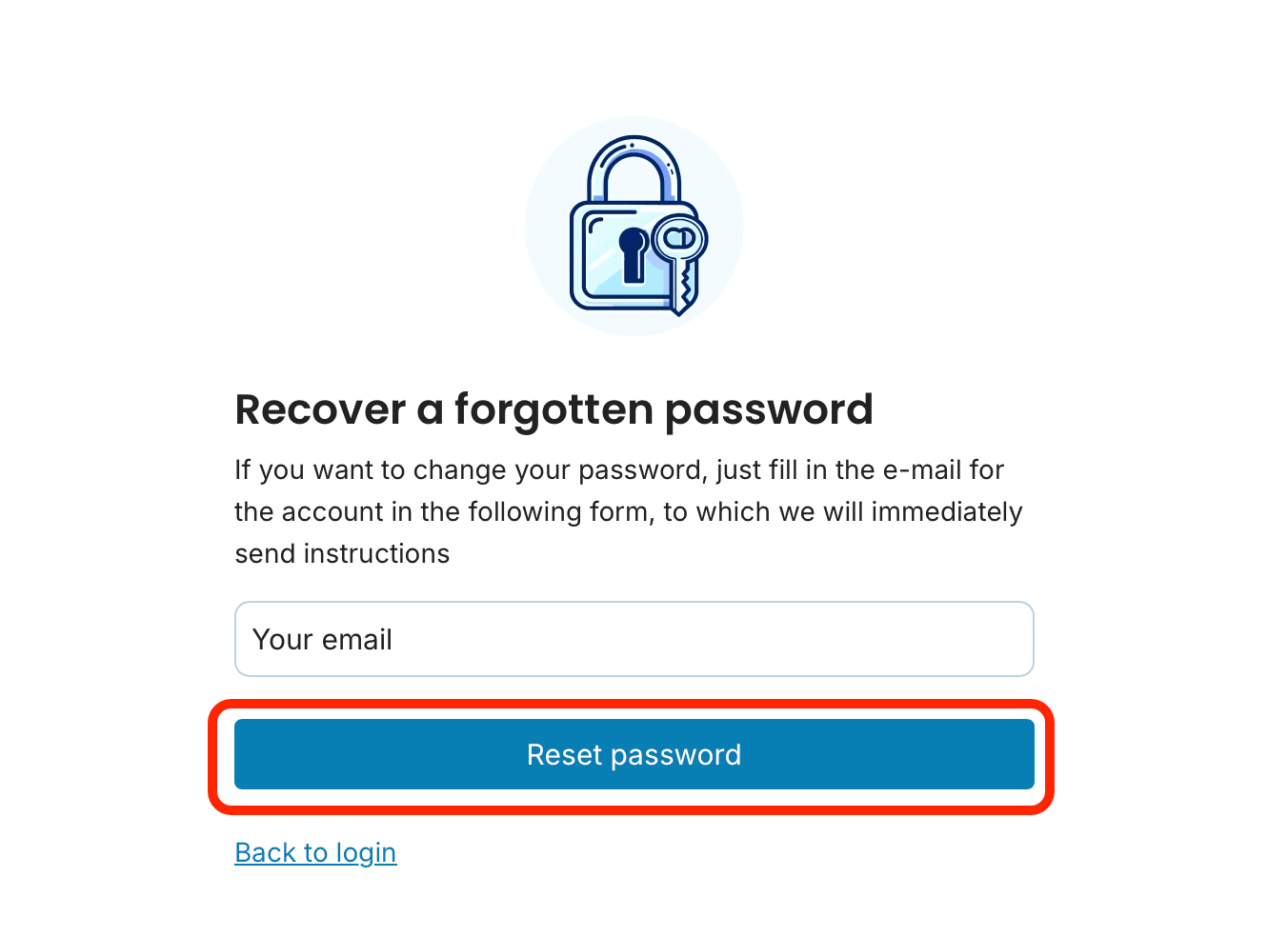
Enter the email address associated with your account.
Click the "Reset password" button.
You will receive an email with a link to set a new password.
Click the link in the email, enter your new password, and confirm it.
That’s it! You can now log in with your new password. 🔐

🔔 Didn’t receive the password reset email?
Sometimes the email might land in your Spam or Promotions folder, or there may be a slight delay in delivery. If you don’t receive the reset email within a few minutes, please contact our support team at [email protected]. We’ll be happy to assist you.
When setting a new password, consider also enabling two-factor authentication (2FA). When logging in, you'll then enter a one-time code from your phone in addition to your password — so no one else can access your account, even if they know it.
Want more tips on how to make the most of InvoiceOnline.com? Visit our website or follow us on social media where we share guides, tips, and updates. ✨
documents with easeCreate Document