Work from Home: Creating an Effective System
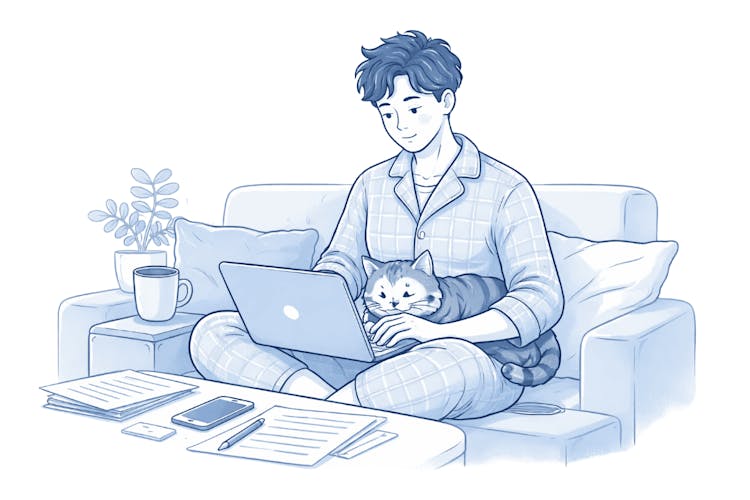
Create a Dedicated Workspace
The biggest mistake when working from home is working from anywhere – sofa, bed, kitchen table. Your brain never fully activates work mode.
You don't need a whole room – just a corner with a desk. When you sit there, your brain knows: now I'm working. When you leave, work is over.

Tip:
Don't have enough space? Use visual separation – a specific lamp, headphones only for work time. Even small signals work for the brain.
Technical Equipment: What You Really Need
Good equipment won't save you from procrastination, but bad equipment will definitely slow you down.
Essentials for Everyone:
Reliable Internet – ideally a fixed connection or a mobile data backup
Quality Headphones with a Microphone – low investment, big impact on video calls
External Monitor – one way to significantly boost productivity on a laptop

Practical Example:
Graphic designer Jana worked for a year on a 13" notebook and complained about slow performance. She bought a second monitor for $150 and estimates that she saves one hour per day simply by not having to switch between windows. Within a year, the investment paid for itself several times over.
Organization and Communication Tools:
Shared Calendar (Google Calendar, Outlook) – essential when collaborating with clients
Project Management Tool (Trello, Notion, Asana) – task overview in one place
Invoicing Software – crucial for freelancers; issue invoices from home as quickly as from the office, such as through InvoiceOnline
Morning and Evening Rituals
This may be the most underrated part of a home office system. Without rituals, you transition smoothly from sleep to work and back – and the brain never fully switches.
-
Morning Ritual (15–30 minutes): Doesn't have to be complicated. It's about separating "personal time" from "work time" with a signal:
Dress up – comfortably, but not in pajamas
Take a walk – even a short walk substitutes for commuting as a "transition to work"
Review your tasks for the day and set 2–3 priorities
-
Evening Ritual (10–15 minutes): Just as important as the morning. It ends the workday and protects your personal time.
Review what you've accomplished
Note what's moving to tomorrow
Close work applications and notifications
Set a fixed end time for your workday and stick to it. Working from home does not mean being available 24/7 — that often leads to burnout.
How to Separate Work from Personal Life
Physical movement to and from the office automatically separated work and personal time. At home, you have to create this boundary yourself.
What Works in Practice:
Fixed Working Hours – ideally the same every day, so people in your household get used to it
Rules for Others in the Household – agree on when you cannot be disturbed
Notifications Outside Working Hours – turn off work email and Slack after work hours on your phone

Caution:
“I’ll just quickly check my emails after dinner” is one of the fastest ways to start feeling like you never truly rest. If you do it every day, it stops feeling like an exception — and becomes the norm.
Communication with Clients and Coworkers
Working from home can give the impression of lower availability. Paradoxically – people who work from home without clear communication rules tend to be more available than those in an office because they fear otherwise it doesn't look good.
-
Set Clear Rules:
Let clients know when you're available and your preferred communication method
Respond to messages during work hours – not immediately, but reliably (within 2–4 hours)
For urgent matters, agree on one channel (phone, WhatsApp – not email)
-
Video Calls:
Background and lighting decide the first impression – a messy kitchen in the background doesn't look professional
Turn on the camera, if possible – it builds trust
Summary: The System Works When It's Simple
A functional home office doesn't rely on perfect equipment or discipline at all costs. It relies on small, repeated habits:
Dedicated workspace
Morning and evening rituals
Clear working hours – for you and your clients
The right tools in the right place
Start with one thing, not everything at once. The simplest change that works immediately? A fixed time when you turn off your computer every day.
Frequently Asked Questions
Do I need a separate room for working from home?
No. A designated corner or desk used only for work is enough. What matters is the psychological separation of the workspace, not its physical size.
How can I explain to family members or roommates that I’m working and don’t want to be interrupted?
Visual signals help—a closed door, headphones on, or an agreed “code word.” The best approach is to set fixed working hours and communicate them clearly, rather than renegotiating them every day.
How can I avoid distractions at home?
Remove visual distractions from your workspace (clutter, television). Use work-in-blocks techniques (for example, 25 or 50 minutes of focused work followed by a short break). Place your phone in another room.
How can I keep track of invoices and payments while working from home?
Use online invoicing software—everything is stored in the cloud and accessible from anywhere. You don’t need to carry paper documents or rely on a single computer.
How can I tell if my home office system isn’t working?
Common signs include regularly working evenings or weekends, difficulty concentrating, or feeling like you are always “at work.” These signals suggest it is time to establish clearer boundaries.
Is it worth investing in better equipment?
It depends on what you’re missing. An ergonomic chair and a second monitor are among the investments with the fastest return. On the other hand, the latest laptop will not make you more productive if you don’t have a system.