Add a logo and signature

Share on:
Add a logo and signature
With InvoiceOnline, you can easily add your company logo and signature to your documents. This step-by-step guide will show you how to upload and set them up quickly and easily.

Do you want your documents on InvoiceOnline.com to look professional?
By adding a logo and signature, you can easily enhance the credibility and identity of your brand.

Where and how to upload your logo and signature?

  • Create a new document.

  • In the "Basic Information" section, you'll see the option to upload your logo.
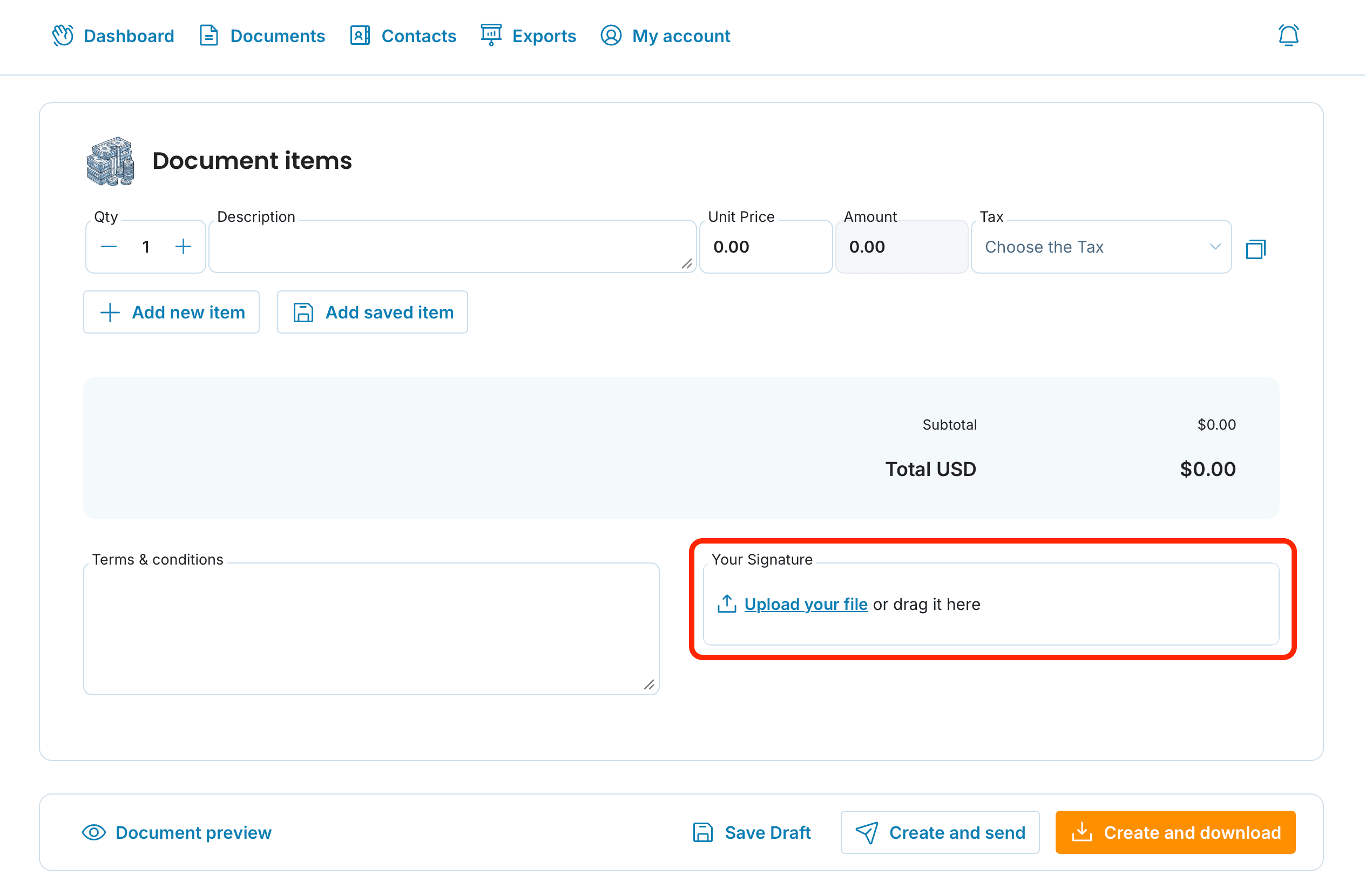
    Your signature can be uploaded in the next step, in the "Document Items" section.

Box illustration

Upload your files in JPG, JPEG, PNG, or GIF format and make sure the quality is high enough so that they are clearly visible even when printed.
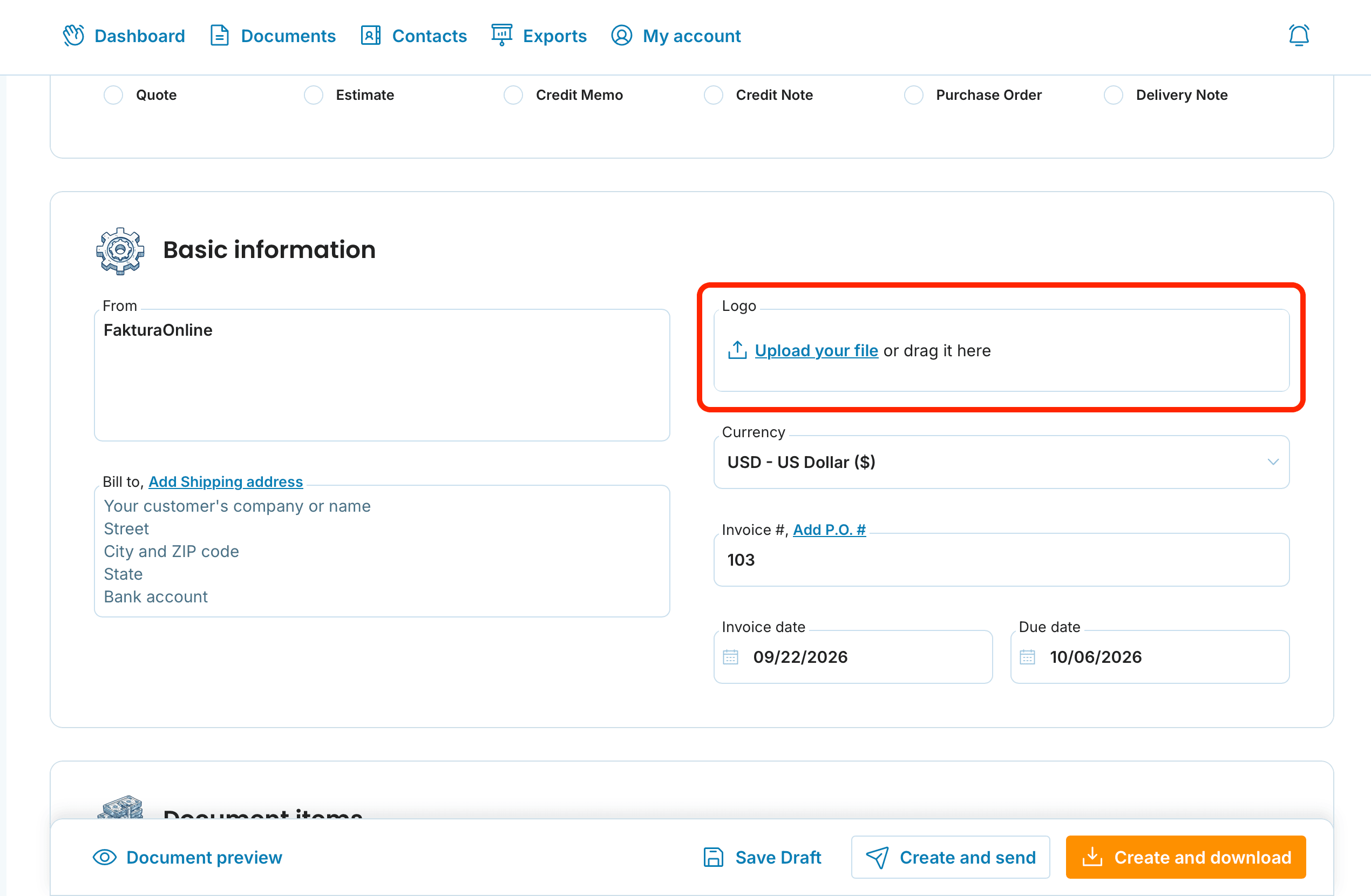
Basic information logo preview

signature preview

Crop or original size?

After uploading, the system will show a preview and give you the option to crop the image:

  • You can confirm automatic cropping,

  • or keep the original size of the image.

Once uploaded, the logo and signature will appear on your document and will be automatically applied to all future documents.

Box illustration

Summary ✅

  • upload logo and signature in the Basic Information and Document Items sections

  • supported formats: jpg, jpeg, gif, png

  • optional image cropping for better appearance

  • everything is saved automatically after upload

Your invoices will always have a polished, professional look.

📩 If you experience any issues uploading your logo or signature, or need help with anything related to InvoiceOnline.com, feel free to contact us at [email protected].

Related articles

Invoice Personalization: Make Your Invoice Part of Your Brand
9/14/2026

An invoice is one of the few documents every client actually sees. With your own logo and signature it becomes part of your brand instead of a plain gray table. Here is why it pays off and how to do it.

How to Download Invoices to Excel (XLSX): Step-by-Step Guide
8/17/2026

Need all your invoices in one clean spreadsheet? InvoiceOnline.com lets you bulk-download issued invoices as an XLSX file you can open in Excel, Google Sheets, or Numbers. Here are two ways to do it — and what an invoice spreadsheet is actually good for.

How to export invoices from InvoiceOnline.com to accounting
5/14/2026

Need to send your accountant multiple invoices at once or import them into your accounting software? InvoiceOnline.com allows bulk export to PDF and XLSX. In this guide, we walk you through the process step by step and help you choose the right format.

Document items
3/10/2026

Do you invoice the same services or goods every time? Save them as items and save time. We'll show you how to add, edit, and use items effectively.