How to export invoices from InvoiceOnline.com to accounting
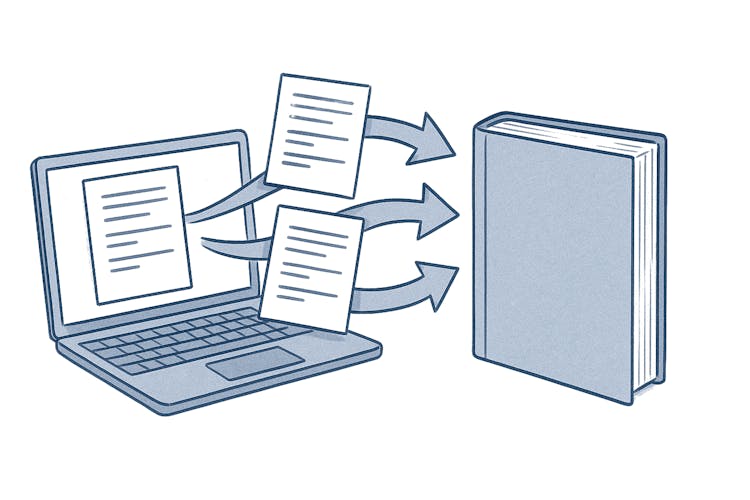
When bulk export comes in handy
Bulk downloading invoices is useful whenever you need to work with multiple documents at once — typically when you:
Send your accountant records for the month or quarter
Import invoices into your accounting software
Need an overview of issued invoices in Excel for your own tracking or analysis
Archive documents at the end of the year

Exporting via the Exports feature
Use the Export Invoices function:
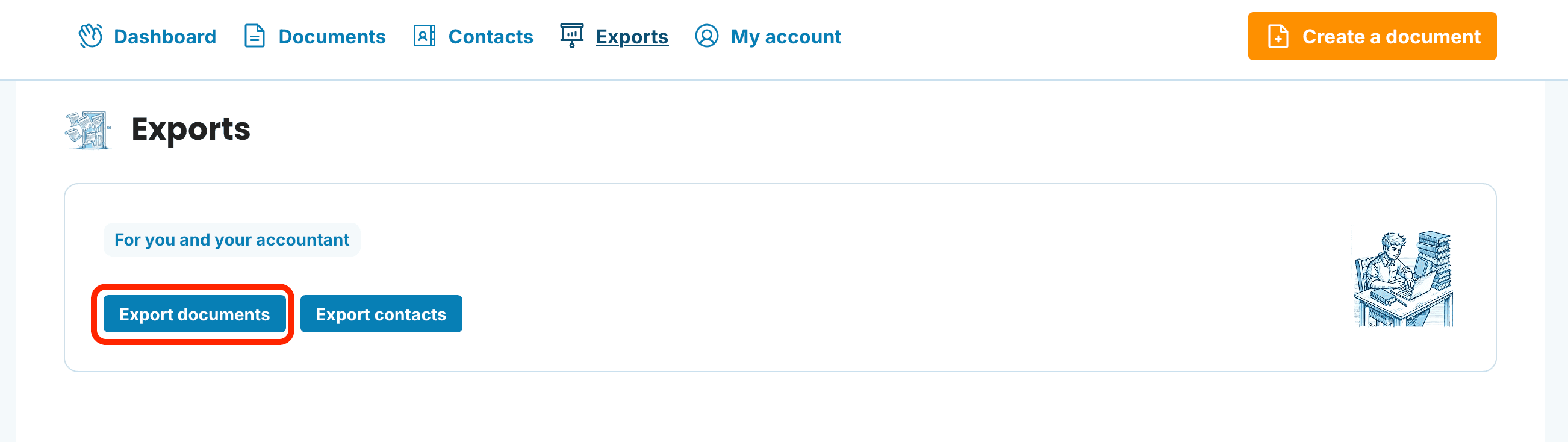
Open Exports in the application header.
Click the Export documents button.
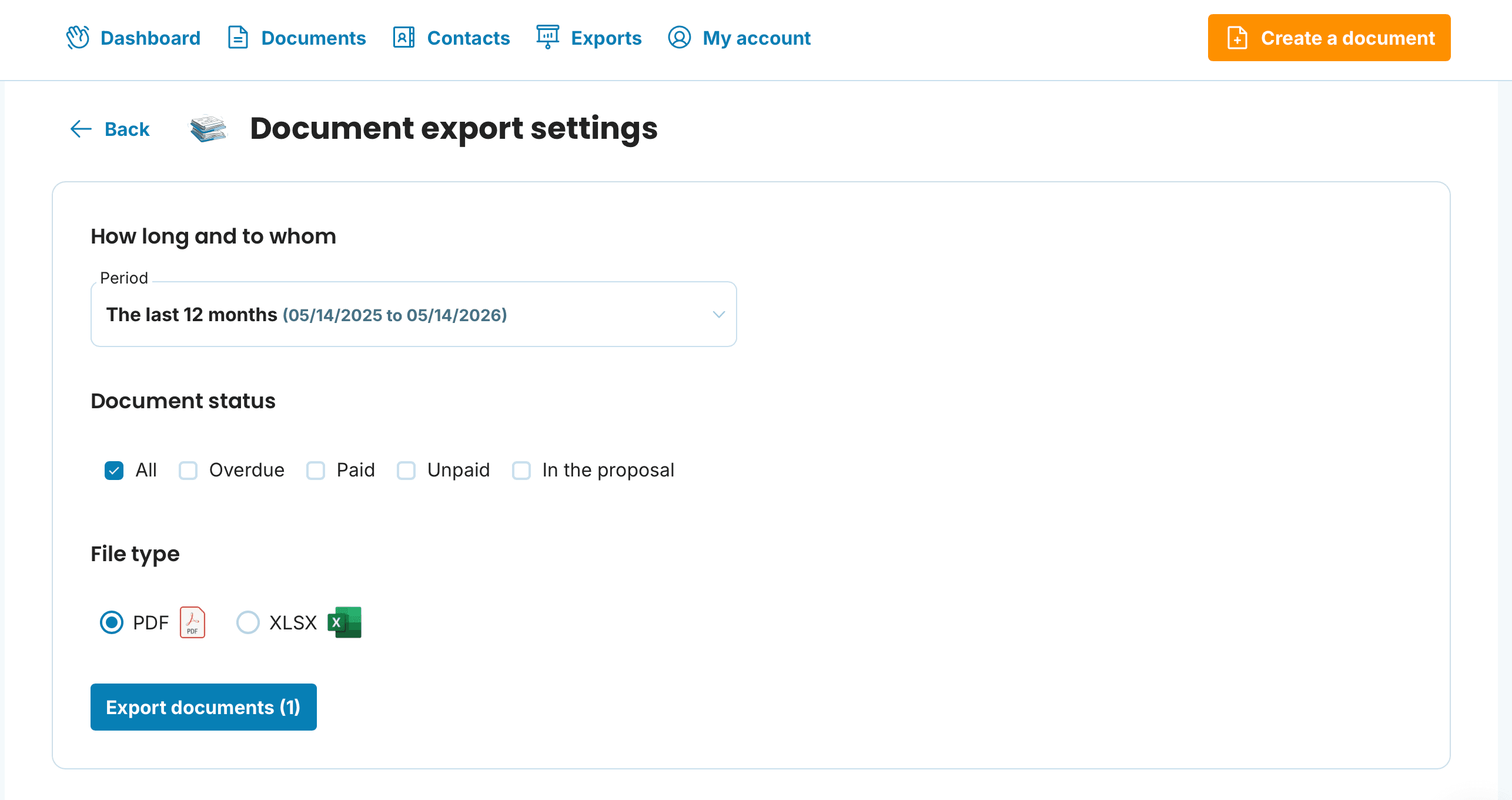
Specify the Period and Document status and select the format you want to export your invoices in.
You can also export using the bulk download from Issued Invoices
Go to the Documents section.
Select the invoices you want to export.
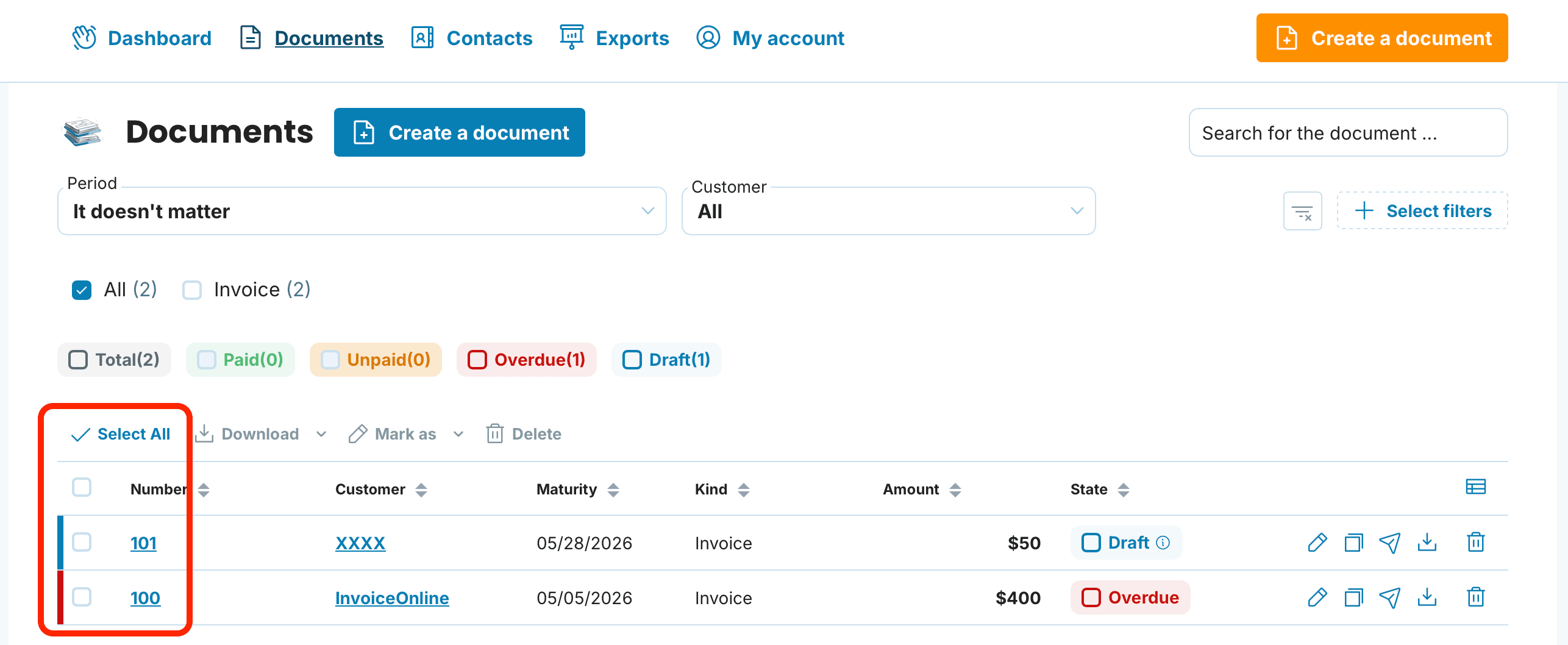
You have two options:
Select all — tick the checkbox in the table header
Pick specific invoices — tick the checkboxes next to individual documents (useful when you only need a specific period or a particular client)

Start the download
Once you have selected your invoices, click the Download button. A menu with available download options will appear.
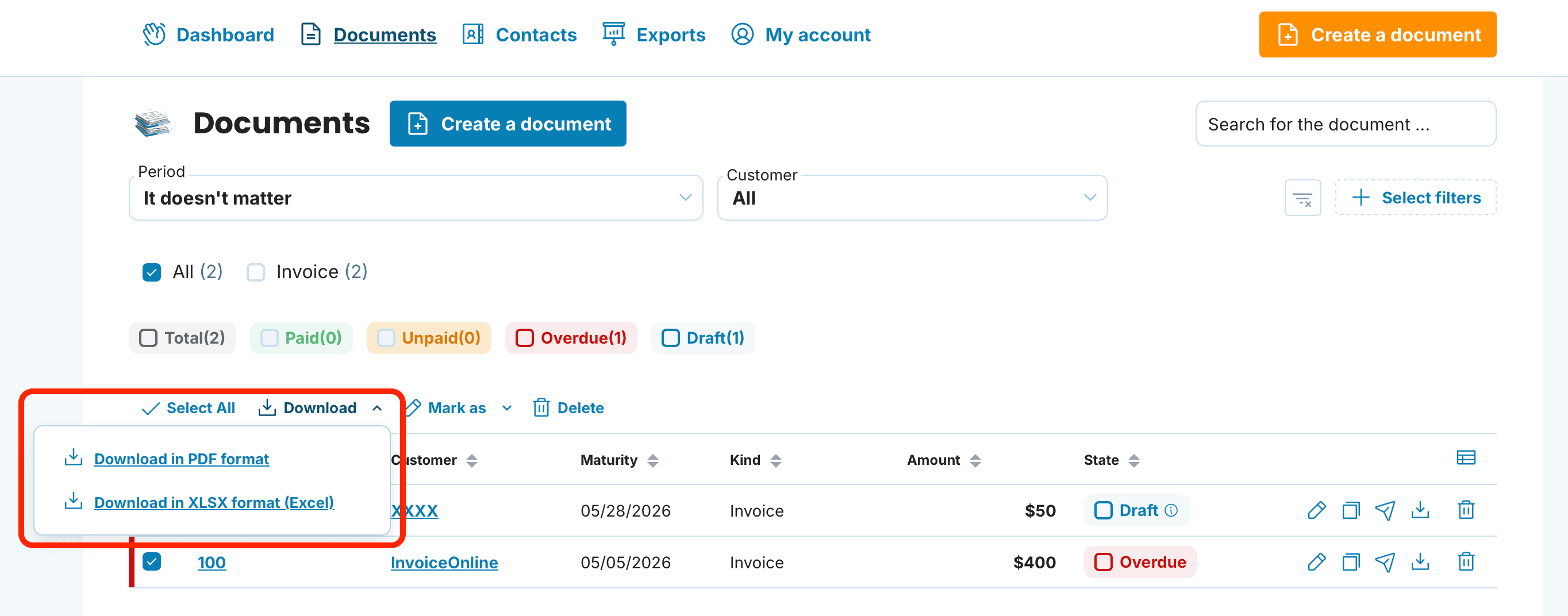
Choose the export format
The following options are available:
Download in PDF format
Download in XLSX (Excel) format
Which format to use when
The right format depends on what you plan to do with the invoices. Here is a quick overview:
PDF is a universal format for viewing and archiving.
It works best when you:
Send invoices to a client or accountant for review
Archive documents for your own records
Print invoices
XLSX (Excel)
An Excel spreadsheet with an overview of issued invoices for a selected period.
It is useful for:
Your own record-keeping and revenue tracking
Reports and analysis (filtering, pivot tables)
Sharing summary data with someone who does not use accounting software
XLSX is not intended for import into accounting software — it is a reporting and analysis tool.
Common issues and how to solve them

Your accountant asks for a different format than we offer
PDF is the most widely accepted format. If your accountant has a specific requirement, PDF with structured data is usually the best starting point.
The downloaded ZIP is empty or incomplete
Make sure you have selected the invoices you want to export. Without a selection, the bulk action will not download anything.
I need to export only a specific period
Use the filter above the invoice list (issue date), select the filtered documents, and then choose the bulk action.
Bulk export from InvoiceOnline saves you hours of manual work — just a few clicks and you have all your documents in the format you need.
