What Is InvoiceOnline and How It Helps You Invoice
What InvoiceOnline does
InvoiceOnline.com is a web app for creating invoices and related documents. There is nothing to install. You log in from your browser, fill in the client and line items, and send the invoice by email or download it.
Every invoice can be downloaded as a PDF or an XLSX (Excel) file.

Save your email templates once
The emails you send with an invoice, a payment reminder, or a thank-you note come from editable templates. Set them up once in your account and every send takes one click.
Free trial: 5 weeks of PREMIUM at no cost
After signing up, you get 5 weeks of every PREMIUM feature for free. There is no commitment—you only pay when you decide to continue. We'll email you before the trial ends.
For a full list of what you can try, see All about the trial period.

What happens when the trial ends
Your data stays in your account and your invoices don't disappear. To create new invoices, choose and pay for the MINI or PREMIUM plan.
MINI and PREMIUM plans
After the trial you choose one of two plans. Both are billed once a year—there is no monthly option.
| Feature | MINI | PREMIUM |
|---|---|---|
| Create an invoice and send it by email | yes | yes |
| Download the invoice | only right after creating it | anytime |
| Edit and duplicate issued invoices | no | yes |
| Document statuses, filters, overviews | no | yes |
| Recurring invoices | no | yes |
| Bulk actions and exports (XLSX) | no | yes |
| Multiple users on one account | no | yes |
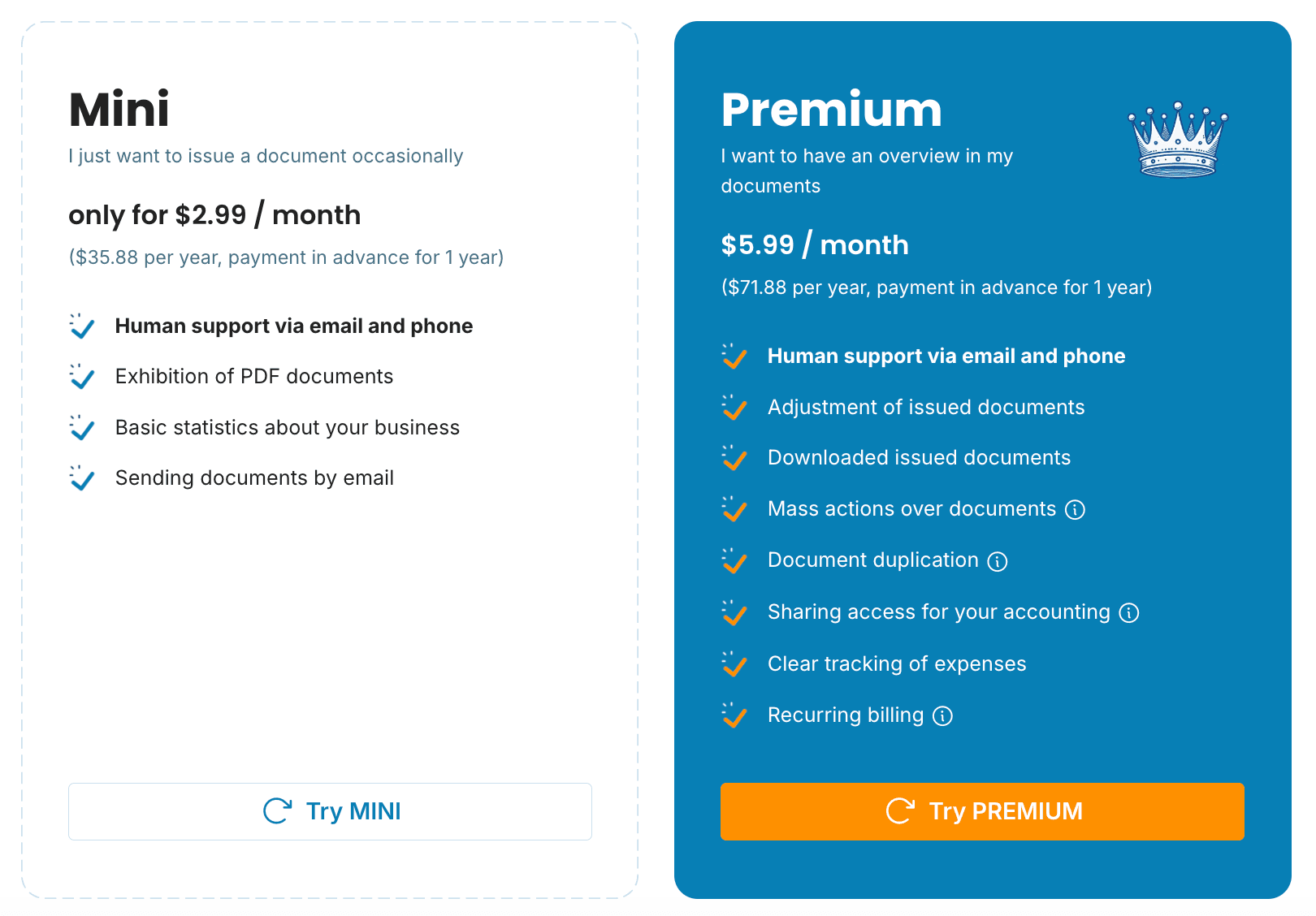
The MINI plan is enough if you create an invoice, send it, and never touch it again. Choose the PREMIUM plan if you want to edit invoices later, track payments, or export data for your accountant. You can upgrade from MINI to PREMIUM at any time.
MINI or PREMIUM?
One or two invoices a month with no changes after sending—MINI. Regular invoicing, keeping an eye on due dates, and exports for bookkeeping—PREMIUM.
Keeping track of paid invoices
With PREMIUM, every invoice shows its status: unpaid, paid, or overdue. You can filter invoices by client, period, or document type, and overviews show what you've billed.
If a client pays late, send a reminder straight from the app using a ready-made email template you can customize. The Document statuses tutorial explains how to turn statuses on and use them.
Where to get help
Use the chat window in the bottom right corner of the website, or email [email protected].
Video tutorials are on our YouTube channel, and we share tips and updates on Facebook.
Do I need a credit card to sign up?
No. The trial has no commitment. You pay only if you decide to continue after it ends.
What happens to my invoices after the trial?
They stay in your account. You can create new invoices once you pay for the MINI or PREMIUM plan.
Can I switch from MINI to PREMIUM during the year?
Yes, at any time. See the tutorial Upgrade your plan from MINI to PREMIUM.
Can I pay monthly?
No, both plans are billed once a year.
How do I pay for a plan?
By card through the payment gateway.
documents with easeCreate Document