Collective download of issued documents
Two ways to download invoices
InvoiceOnline offers two ways to download your invoices in bulk. Each one is suited for a different situation:
Issued Invoices — quickly download selected documents straight from the list
Exports — advanced filtering by period, client, or status

Downloading invoices from the Issued Invoices section
The quickest way to download selected documents — ideal when you already know which invoices you need.
Step by step
Go to the Issued Invoices section.
Select the invoices you want to download — either individually using the checkboxes next to each document, or all at once by checking the box in the table header.
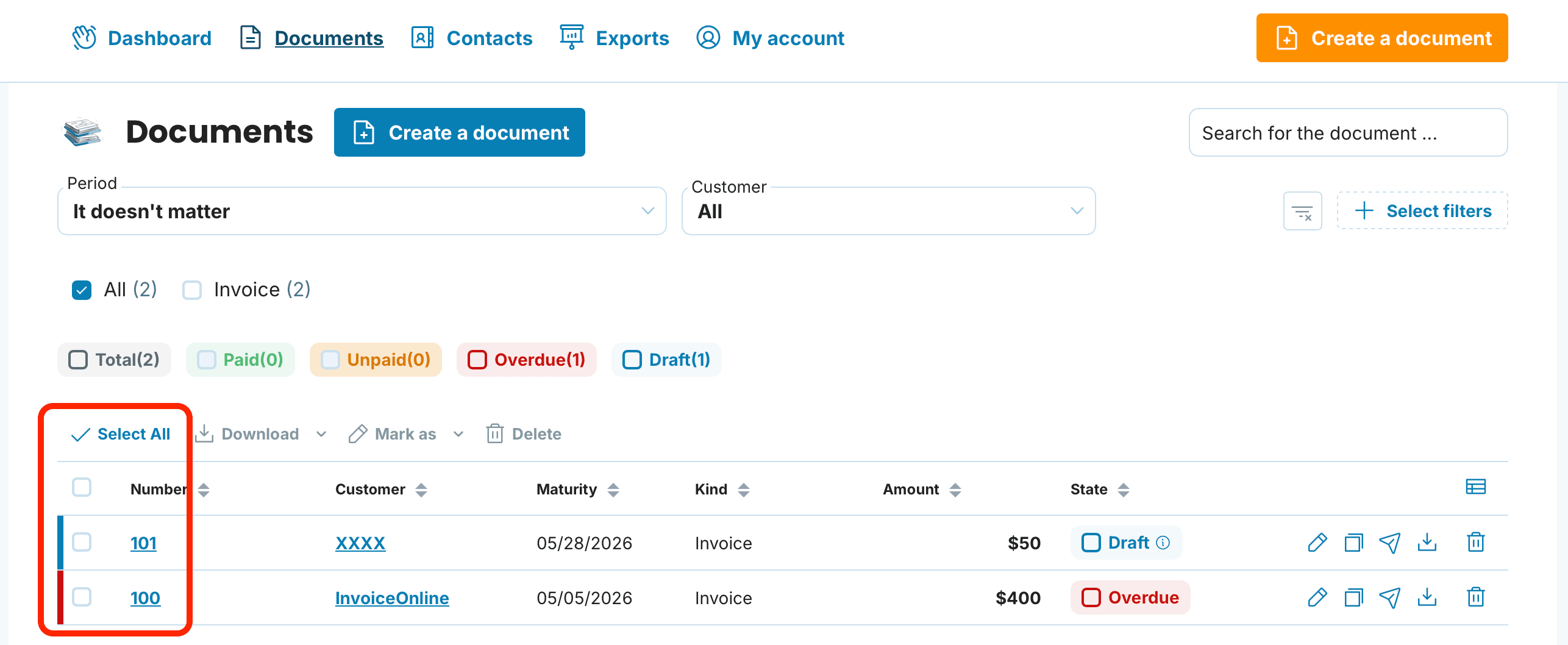
Click the Download button.
Choose the desired format.
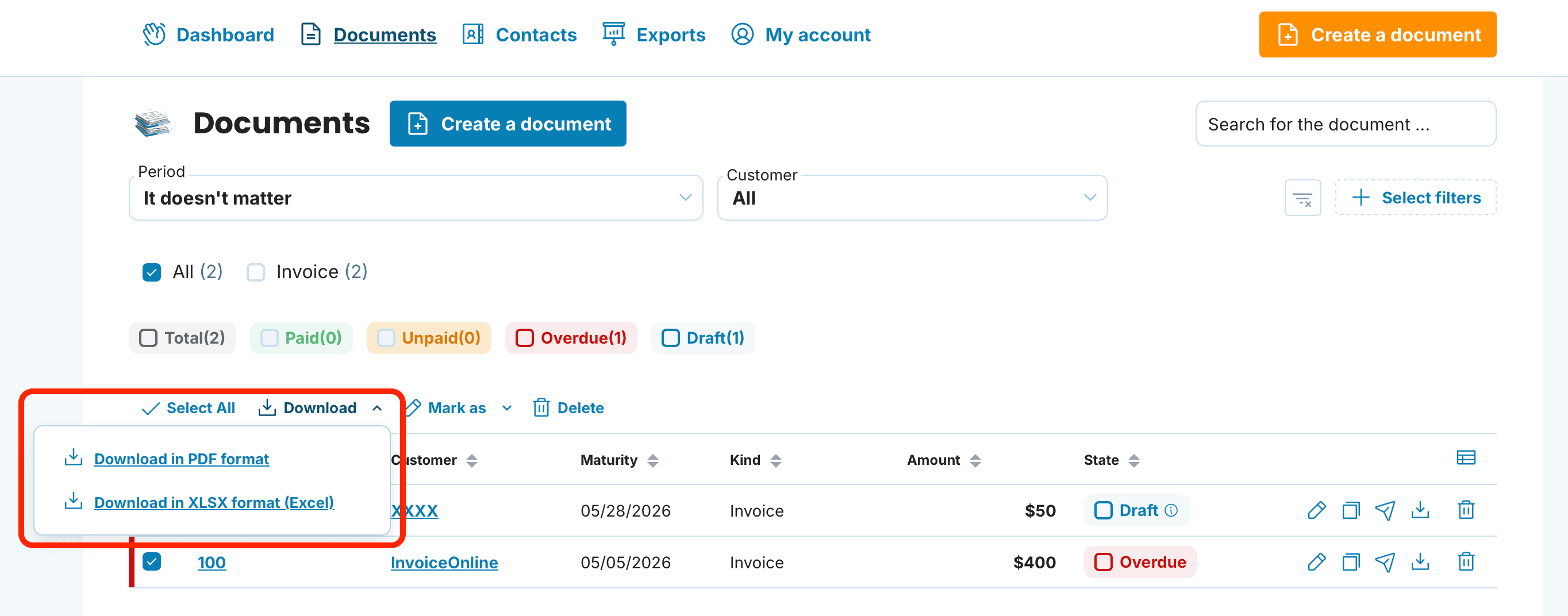
Available formats
PDF — for viewing, printing, and archiving
XLSX (Excel) — a clear spreadsheet for your own records

Downloading invoices via the Exports feature
Use Exports when you need more precise control over which invoices to download — for example, only proforma invoices from a specific client for the first quarter.
Step by step
Open Exports in the application header.
Click on Export Invoices.
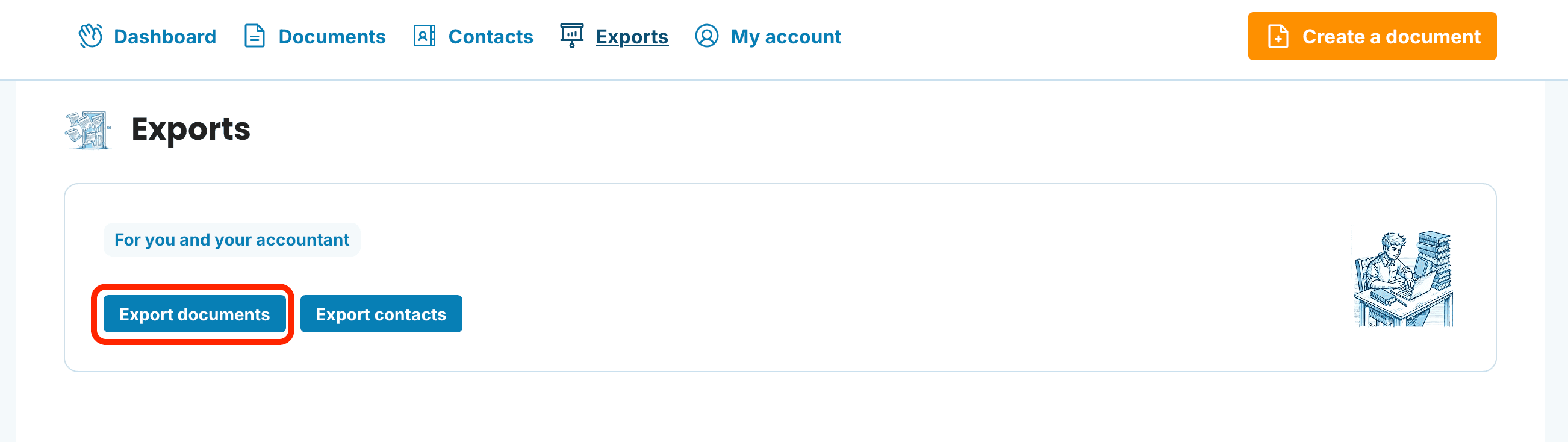
Set your filters — Period, Client, and Invoice Status.
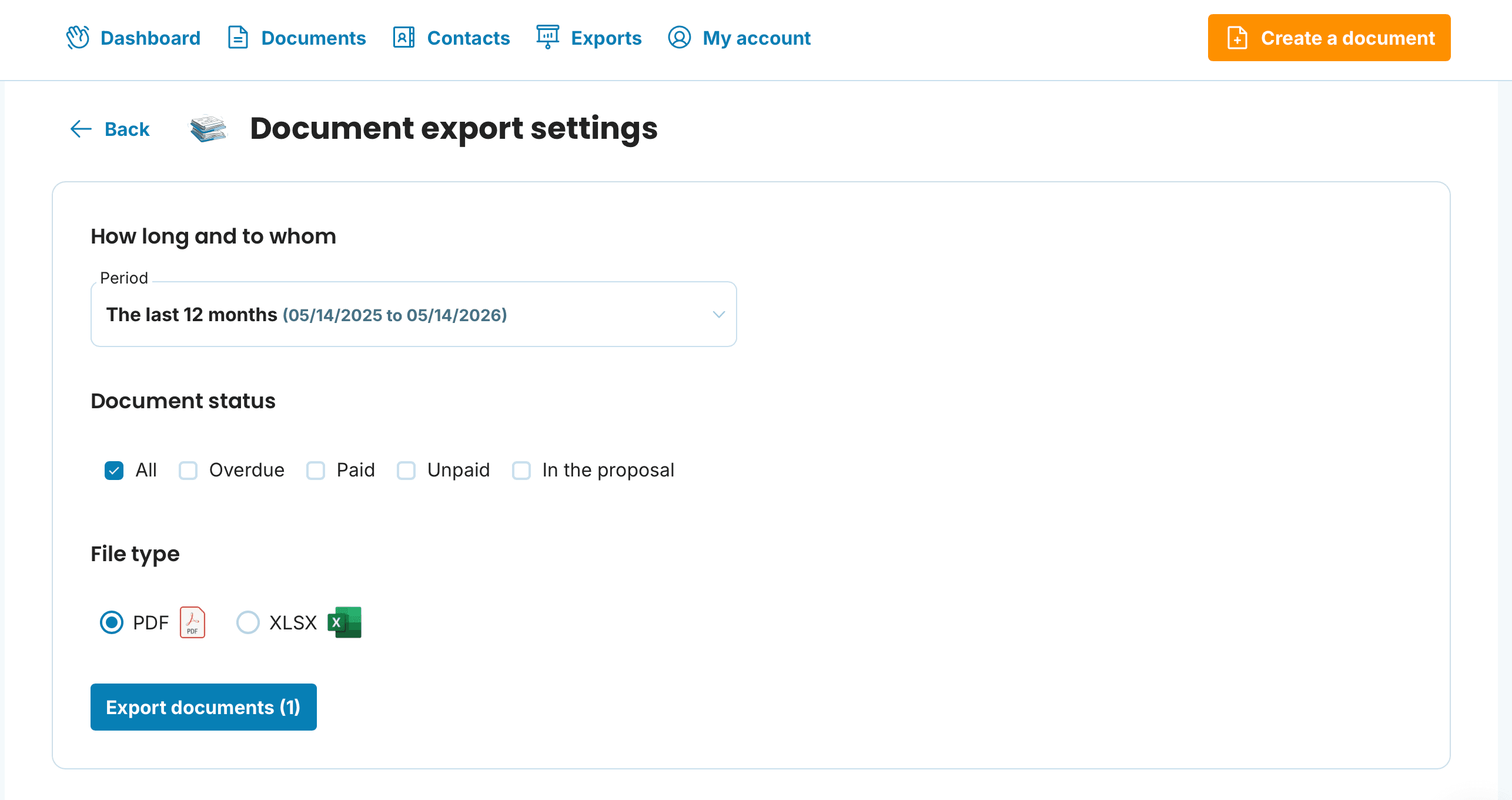
Select the export format and confirm the download.

Which format to use when
A quick overview of which format works best for what:
PDF — sharing with clients, printing, and personal archiving.
XLSX — an Excel spreadsheet for your own records, reports, and analysis. Not intended for import into accounting software.
Frequently Asked Questions
What is the difference between downloading from Issued Invoices and via Exports?
From Issued Invoices, you download selected documents that you see in the list — quickly and directly. Exports are better when you want to filter by multiple criteria at once (period + client + status) without manually browsing the list.
How quickly does the download link for all invoices arrive?
For a large volume of invoices, the package is prepared in the background, so the link is delivered via email.
Can I download invoices for just a specific month?
Yes, use the period filter in the Issued Invoices section or directly in the Exports feature.
What format should I download invoices in for my accountant?
PDF is the most universal choice for sharing with your accountant. If you need a spreadsheet for your own tracking or analysis, choose XLSX.
Can I download an invoice in a different format after it has been issued?
Yes, you choose the format at the time of download. The invoice stays saved in the application, and you can download it anytime as a PDF or XLSX.
Bulk downloading invoices from InvoiceOnline.com saves you hours of work — whether you need a few specific documents or a filtered export for your accountant.
documents with easeCreate Document