How to Edit an Invoice: When to Fix It and When to Issue a Credit Note

First, let's clear up the one thing the whole process hinges on: it matters whether the invoice is still just with you, or your customer already has it.
Before you send it, edit an invoice however you need
An invoice you haven't sent anywhere yet is still just your working document. You can change the line items, amounts, customer details, and dates however you like — or delete it and start over. No special rule applies here, because no one else has seen the document and it isn't recorded anywhere yet.

Already sent the invoice? Here's how to fix it the right way
Once you send an invoice to a customer, it's no longer only yours. They may have entered it in their books, and if you've recorded it too, it's part of your own records. From this point on, you don't fix an invoice by rewriting it.

Instead, you correct the record with a separate document:
Credit note (also called a credit memo): reduces or cancels the amount on the original invoice. Use it for returned goods, an overcharge, or a discount agreed after the fact.
Debit note: increases the amount, for example when a charge was left off or the price went up.
Corrected (revised) invoice: replaces the original — best when the invoice hasn't really entered circulation yet.


How to edit an invoice in InvoiceOnline
In the app, the steps follow the same logic — what you do depends on the state the invoice is in.
A draft invoice
An invoice you haven't issued yet, you simply open and edit as needed.

An invoice you've already issued
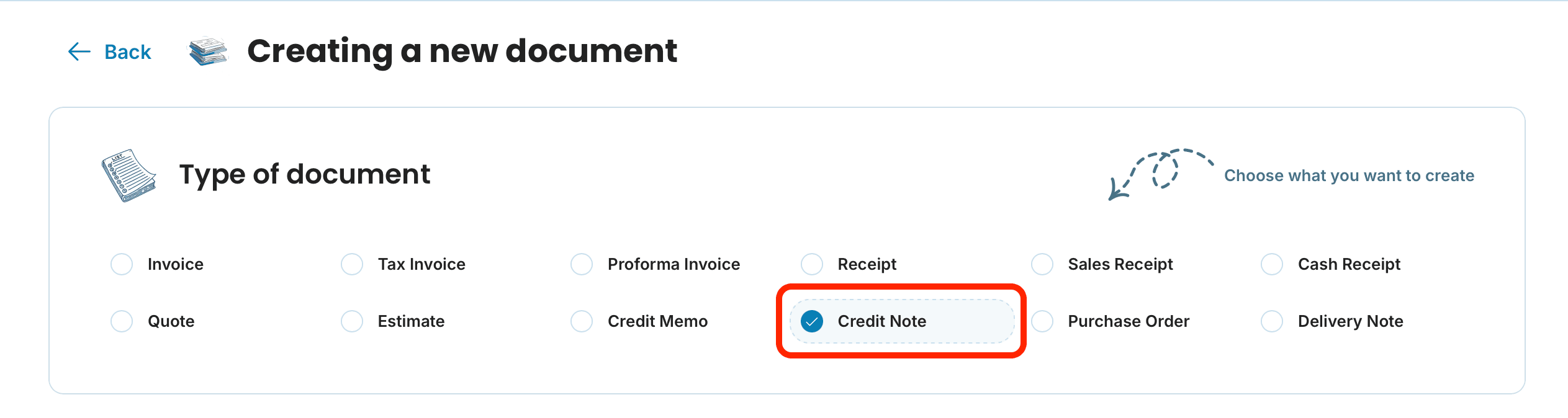
To correct the amount, you can issue a credit note. You don't generate it from the original invoice — instead, start a new document and choose credit note as the document type. Reference the original invoice number, enter the adjustment (the returned items or the corrected amount), and add the reason for the change. Then save the document and download or send it.
Can I edit an invoice I’ve already sent to a client?
You shouldn't just rewrite it. To reduce or cancel the amount, issue a credit note that references the original invoice. To increase it, issue a debit note. Either way, leave the original invoice in your records.
What’s the difference between a credit note and a corrected invoice?
A credit note (or credit memo) offsets part or all of the original invoice and leaves both documents in your books. A corrected invoice replaces the original — best used when the invoice hasn't been sent, paid, or recorded yet.
Do I need to send the credit note to my customer?
Yes. Your customer needs it to update their own records, and it keeps both sides reconciled. Reference the original invoice number so the adjustment is easy to trace.
Is there a deadline for issuing a credit note?
There's no single federal deadline, but issue it promptly — ideally in the same accounting period and before you file taxes for that period, so your books and returns stay accurate.
Can I edit an invoice I’ve issued on the Mini plan?
No. On Mini, an issued invoice is view-only. To edit invoices after issuing them, you'll need Premium (it also works during your free trial).
I only made a typo in the address, not the amount. Do I still need a credit note?
If the invoice is already out and the dollar amount doesn't change, you can usually issue a corrected invoice or send a short note clarifying the fix. A credit note is meant for changes to the amount owed. Either way, don't quietly overwrite an invoice your customer already has.
