How to create a deposit invoice

When to ask for a deposit
A deposit invoice asks your customer to pay part of the price before you start the work or deliver the goods. It is common for larger jobs, custom orders or when you need to buy materials first.

InvoiceOnline has no separate deposit document type. You bill a deposit with a regular Invoice and describe it as a deposit in the items.
How to create a deposit invoice step by step
1. Open a new document
After logging in, open the form for a new document. If you are using it for the first time, start with our guide to issuing a document.
2. Choose the document type Invoice
In Type of document, select Invoice.
3. Fill in your customer's details
Enter the customer's name and address and check that they are correct.
4. Add the deposit as an item
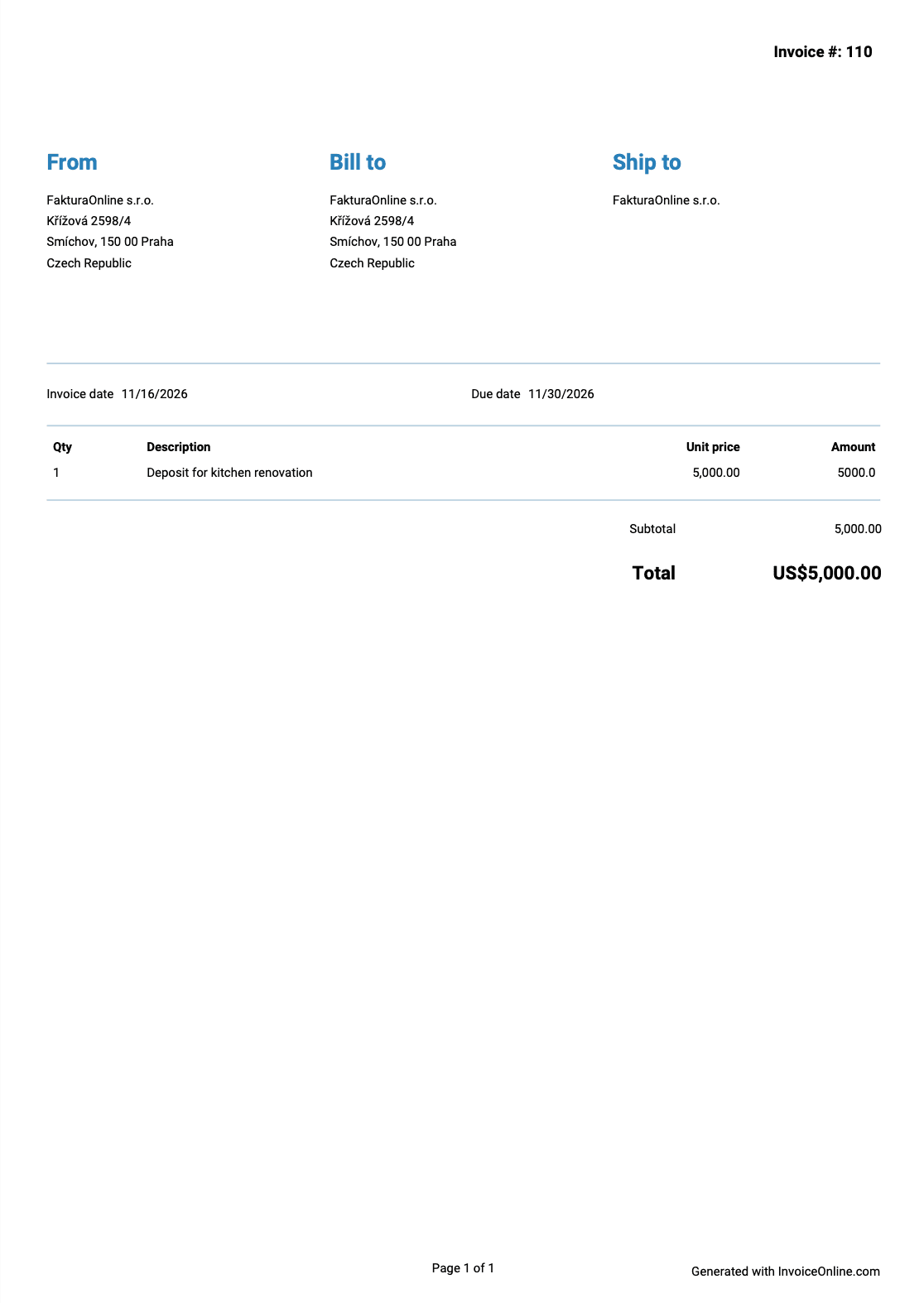
Describe the item clearly, for example “Deposit for kitchen renovation”, and enter the deposit amount. It can be a fixed sum or a share of the total price, such as half of it. Set the due date so the customer knows when to pay.
5. Issue the invoice
Review the details and issue the invoice – download it as a PDF or email it to the customer directly from the app.
How to invoice the remaining balance
When the job is finished, create a new invoice for the rest of the price. Mention the deposit already paid and the number of the deposit invoice, so the customer can see what has been paid and what is still due.

Use the same customer and a similar item description on both invoices. It makes it easier for you and your customer to match the deposit with the final bill.
Is there a separate document type for deposits?
No. In InvoiceOnline you bill a deposit with the document type Invoice and describe the item as a deposit.
How do I bill the rest of the price?
Once the job is done, create a new invoice for the remaining balance and mention the deposit already paid, including its invoice number.
Should I use a pro forma invoice instead?
A pro forma invoice works as a preliminary quote. If you want the customer to actually pay a deposit, send a regular invoice for it.
documents with easeCreate Document