How to create a credit memo
When you create a credit memo
A credit memo reduces or cancels an amount you have already invoiced. You create one when you give a discount after the sale, a client returns goods, you agreed to a refund, or the original invoice had a wrong price or quantity. It tells your client how much less they owe, or how much you will refund.

Do not edit or delete an invoice you have already sent. Create a credit memo that refers to it, so both you and your client keep a clear record.
How to create a credit memo step by step
1. Open a new document
Log in and open the form for a new document. If this is your first one, start with the guide on how to issue a document with InvoiceOnline.
2. Choose the type of document Credit Memo
Under Type of document, select Credit Memo. The form now shows Credit Memo #, Credit Memo date and Credit Memo items.
3. Fill in who it is from and who it is for
In Basic information, enter your details under From and your client’s details under Customer. Use the same client details as on the original invoice.
4. Add the credited items
In Credit Memo items, enter only what you are crediting: the quantity, a description and the unit price. If the original invoice included sales tax, apply the same tax to the credited items so the tax is credited too.

You invoiced a client $1,000 for 10 hours of design work. They are unhappy with one part, and you agree to take off 2 hours. Your credit memo has one item: 2 hours of design work at $100, for a total credit of $200.
5. Refer to the original invoice
In Terms & conditions, write the number and date of the original invoice and the reason for the credit, for example “Credit for invoice #1024 of November 3: 2 hours removed after client feedback.” Say whether you will refund the amount or deduct it from the open balance.
6. Issue the credit memo
Check the details and issue the document. You can download it as a PDF and send it to your client.

Keep the credit memo with the original invoice in your records. When you reconcile payments, the two documents together show what the client actually owed.
What to include on a credit memo
the words “Credit Memo” and its own number,
the credit memo date,
your name or business name and address,
your client’s name and address,
the number and date of the original invoice,
the reason for the credit, the credited items and the total credit.
Billing a client without tax? See how to create an invoice without tax.
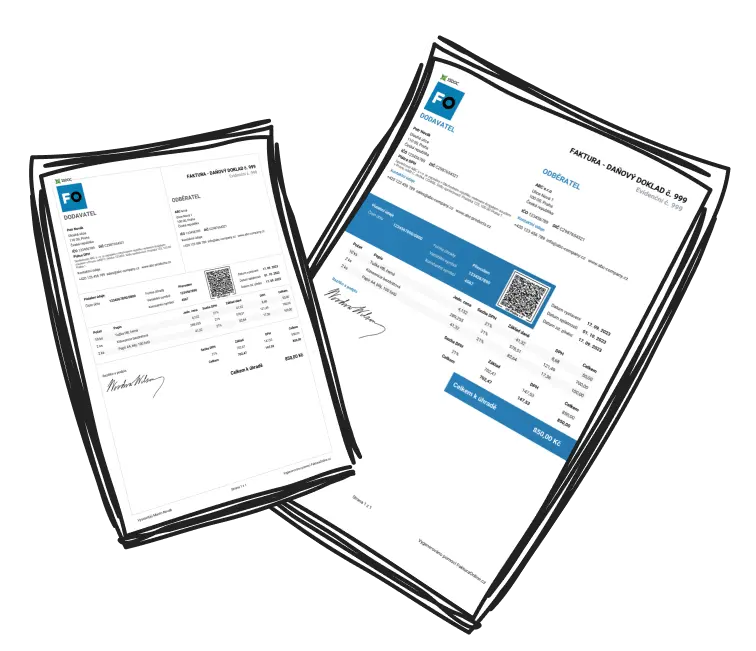
Credit memo: sample

What is the difference between a credit memo and a credit note?
In practice, both reduce an amount you have already invoiced. Credit memo is the term most often used in the United States, and InvoiceOnline offers both document types.
Can I credit only part of an invoice?
Yes. Add only the items or amounts you are crediting, such as a discount on one line or returned items.
Do I need to refund the money?
Not always. A credit memo can reduce what the client still owes, or you can refund the amount. State which one applies in Terms and conditions.
Should a credit memo include sales tax?
If the original invoice included sales tax on the credited items, credit the same tax. Sales tax rules depend on your state, so check with your state tax agency if you are unsure.
documents with easeCreate Document