How to create an invoice without tax

When you create an invoice without tax
You create an invoice without tax when you do not charge tax on the sale. The invoice shows the price your client pays and nothing on top.
The United States has no VAT. Sales tax is set by states and local governments, so whether you charge it depends on what you sell and where. If you are not sure, check with your state tax agency before you send the invoice.

Only add tax to an invoice when you are required to collect it. If you do not collect tax on the sale, leave the Tax column empty.
How to create an invoice without tax step by step
1. Open a new document
Log in and open the form for a new document. If this is your first one, start with the guide on how to issue a document with InvoiceOnline.
2. Choose the type of document Invoice
Under Type of document, select Invoice.
3. Fill in who the invoice is from and who it is for
In Basic information, enter your details under From and your client’s details under Bill to. Check the Invoice #, the Invoice date and the Due date.
4. Add your items
In Document items, enter the quantity, description and unit price for each line. Use Add new item for more lines. Do not add anything in the Tax column, so the total equals the subtotal.

Use the Terms & conditions field for your payment terms, such as how and by when you expect to be paid.
5. Issue the invoice
Check the details and issue the document. You can download it as a PDF and send it to your client.
What to include on an invoice without tax
the word “Invoice” and an invoice number,
your name or business name and address,
your client’s name and address,
a description of what you are billing for, with quantity and price,
the invoice date and due date,
the total and your payment terms.
Need part of the payment up front? See how to create a deposit invoice.
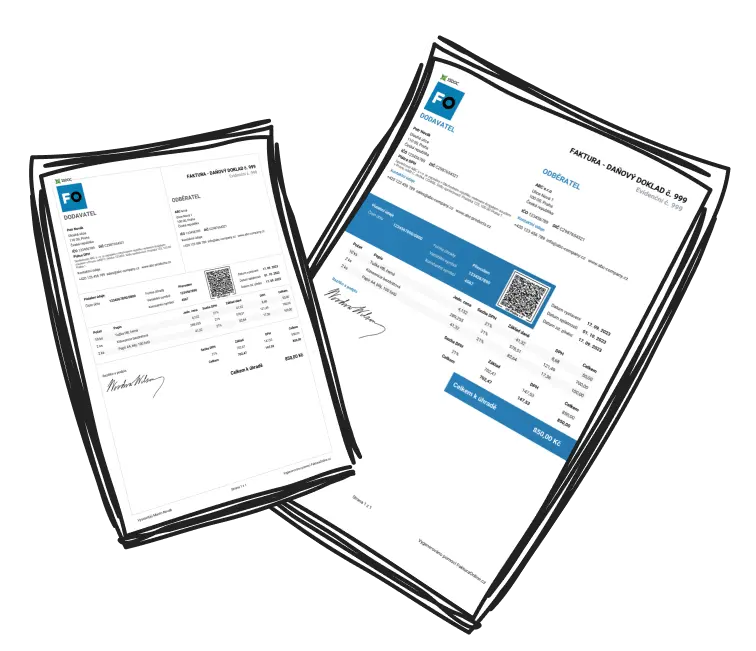
Invoice without tax: sample

Which type of document do I choose for an invoice without tax?
Choose Invoice under Type of document and leave the Tax column empty.
Do I have to charge sales tax on my invoices?
It depends on what you sell and where. Sales tax rules are set by states and local governments, so check with your state tax agency.
Can I ask for a deposit before I start the work?
Yes. Create a deposit invoice with the Invoice document type and bill the final amount once the work is done.