How to issue a document with InvoiceOnline.com
Share on:
How to issue a document with InvoiceOnline.com
InvoiceOnline.com supports issuing all basic types of accounting documents. The entire process is clear, fast, and easy enough for beginners to handle.

Where to Issue a document?

After logging into your account on InvoiceOnline.com, click the Issue a document button. This feature is available for both MINI and PREMIUM plan users.
The invoice creation form is clearly divided into three sections:

1. Type of document

Here you can choose from several types of documents.
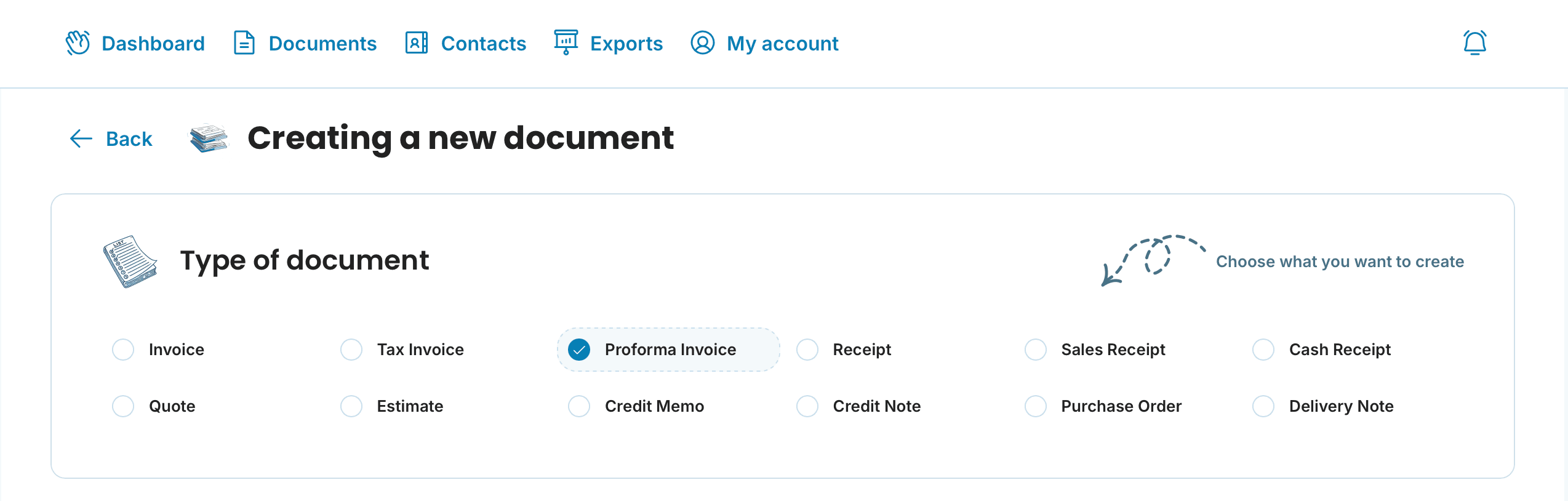
Creating a new document preview

2. Basic information

In this section, complete information about you and your client, such as:

  • Company name, street, ZIP Code, City, State and Bank account

  • Invoice date and Due date

  • Currency

  • Logo

  • Invoice number

  • Purchase order number (P.O.)

Snímek obrazovky 2025-06-09 v 17.08.20.png

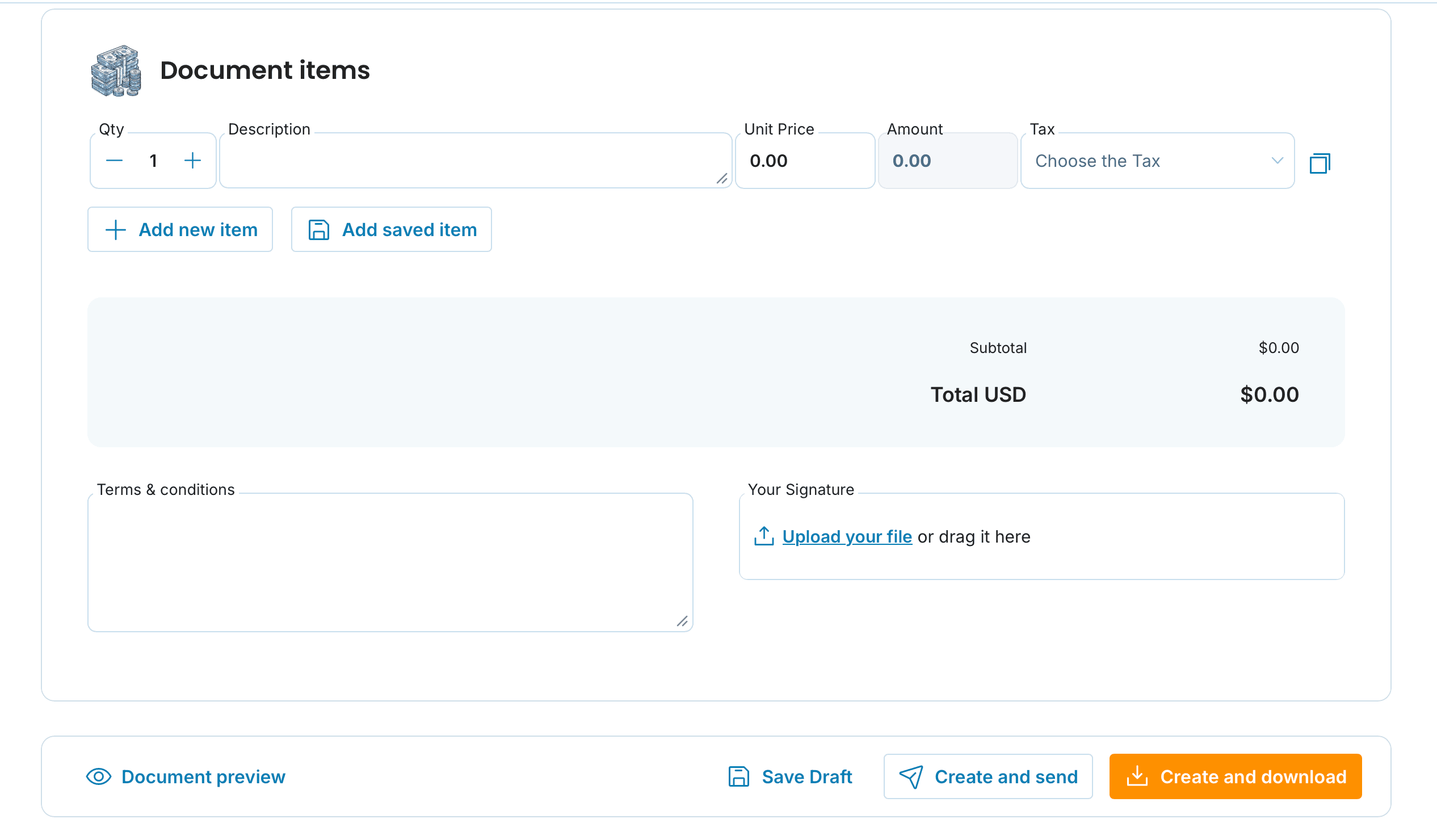
3. Document items

In the final section, you add the specific goods or services:

  • Item name (with suggestions from your history)

  • Unit of measure (pcs, hours, packages…)

  • Quantity, price, and tax

  • Automatic calculation of the total amount

  • Terms & conditions

Document items preview
Box illustration

You can save items and reuse them for future invoices. This saves you time and makes invoicing even easier.

Once all information is filled in, you can:

  • 📩 Send it to the client by email directly from the system

  • 💾 Save it as a PDF or edit it later

  • 📊 Track its status (Paid / Unpaid / Overdue)

If you have any questions, contact us at [email protected]. We’re here for you! ✨

With us, everyone can manage
documents with ease
Create Document
Faktura

Related articles

How to create a credit memo
11/24/2026

Need to reduce or cancel an invoice you have already sent? Here is how to create a credit memo in InvoiceOnline as a new document, and what to put on it so your client knows exactly what it corrects.

How to create a pro forma invoice
11/24/2026

Want to get paid before you deliver? Here is how to create a pro forma invoice in InvoiceOnline, what it should include and what to send once your customer pays.

How to create an invoice with sales tax
11/20/2026

Need to charge sales tax on an invoice? Here is how to add tax to an invoice in InvoiceOnline step by step, and what the invoice should show.

How to create an invoice without tax
11/17/2026

Need to bill a client and you do not charge tax on the sale? Here is how to create a plain invoice in InvoiceOnline as a new document, and what to put on it.