How to prolong plan from a trial version

Every new business gets 5 weeks of the PREMIUM plan for free. Before your trial ends, we’ll send you an email with a reminder and instructions on how to continue. The email always says which business it concerns.
You can renew your subscription:
via the email we send you, or
directly in the InvoiceOnline.com app, in your company settings
How to renew your plan:
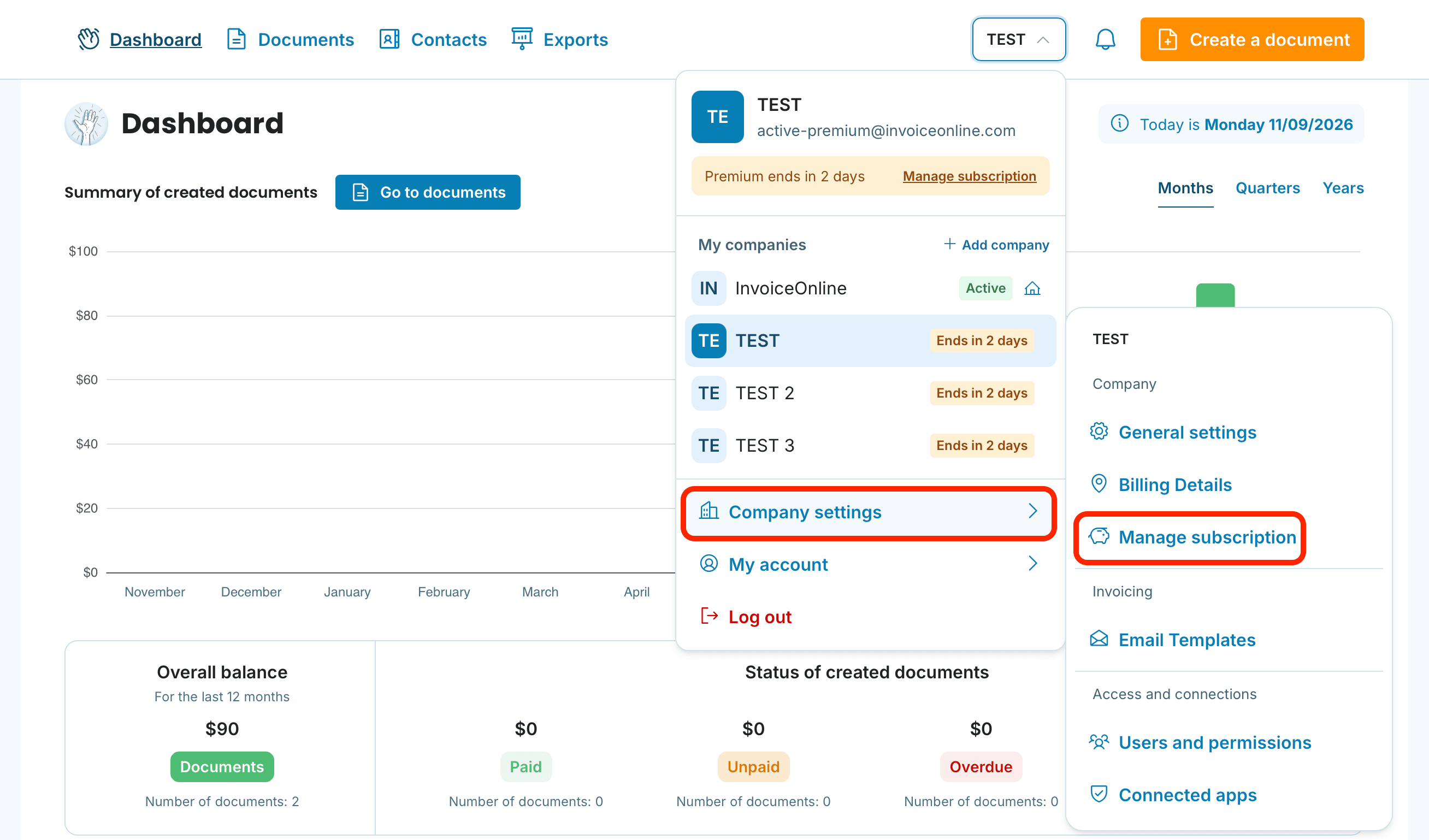
After logging in, click the business name in the top right. In the menu, you’ll see the Manage subscription link right under your current plan. You can also get there via Company settings → Manage subscription.
On the order page, you’ll see the MINI and PREMIUM plans side by side. Your trial included PREMIUM features, such as editing issued invoices, bulk actions and email templates. If you choose MINI, you’ll lose access to invoices issued during the trial. You’ll keep the basic features, like creating invoices and downloading or sending them instantly. On the card of the plan you want, click the order button.
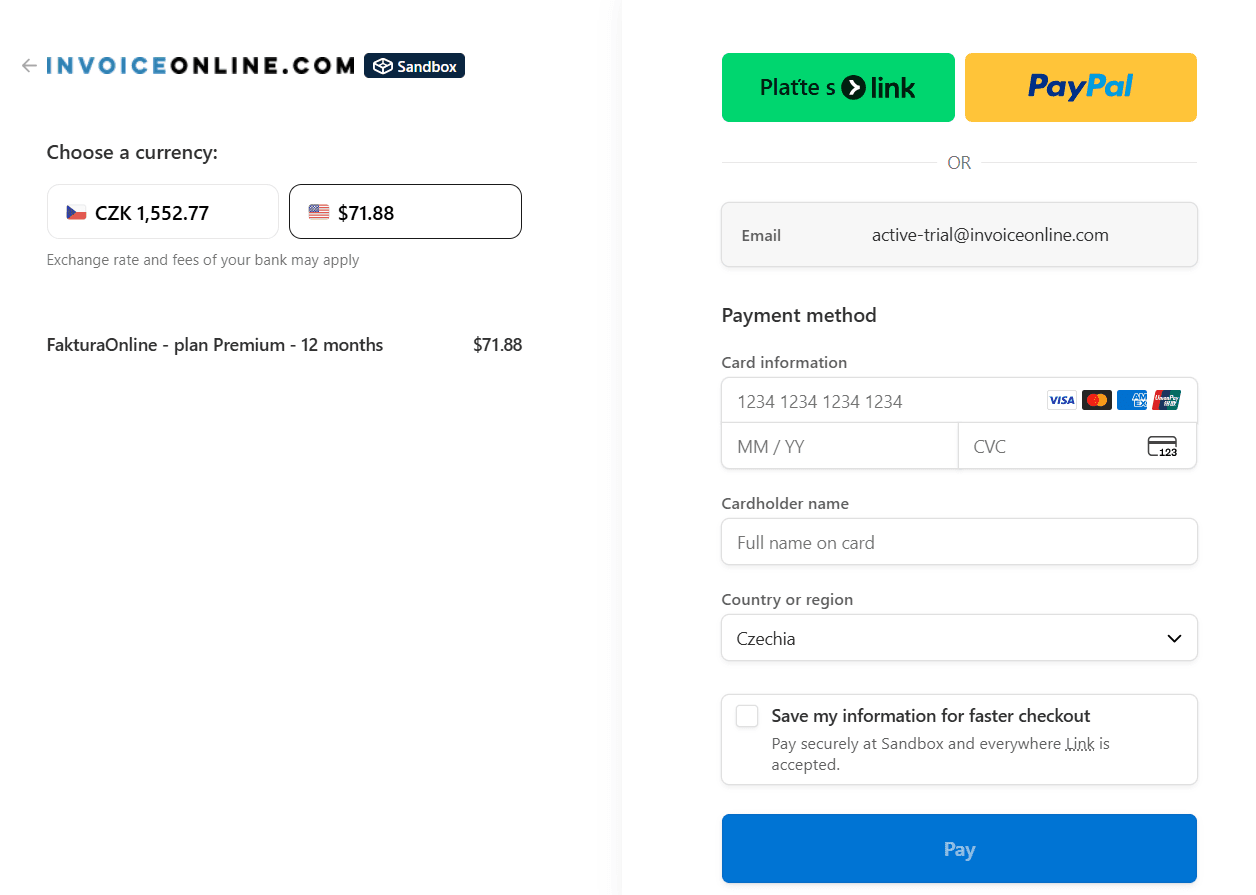
You’ll be redirected to a secure payment page. Once you’ve paid, your plan is activated immediately.
Several businesses under one login?
The trial and the plan always belong to a specific business, not to your whole login. Each business has its own plan and its own end date. Read more in Multiple businesses under one login.

Before you open Manage subscription, check in the top right which business is selected. The plan is always ordered for the business you are currently in.
That’s it! You’re ready to get the most out of InvoiceOnline. We’ve also prepared guides to help make invoicing fast and easy.

Having some issues?
📩 Contact our support at [email protected].
documents with easeCreate Document