Upgrade your plan from MINI to PREMIUM
How to upgrade from the MINI plan to the PREMIUM plan?
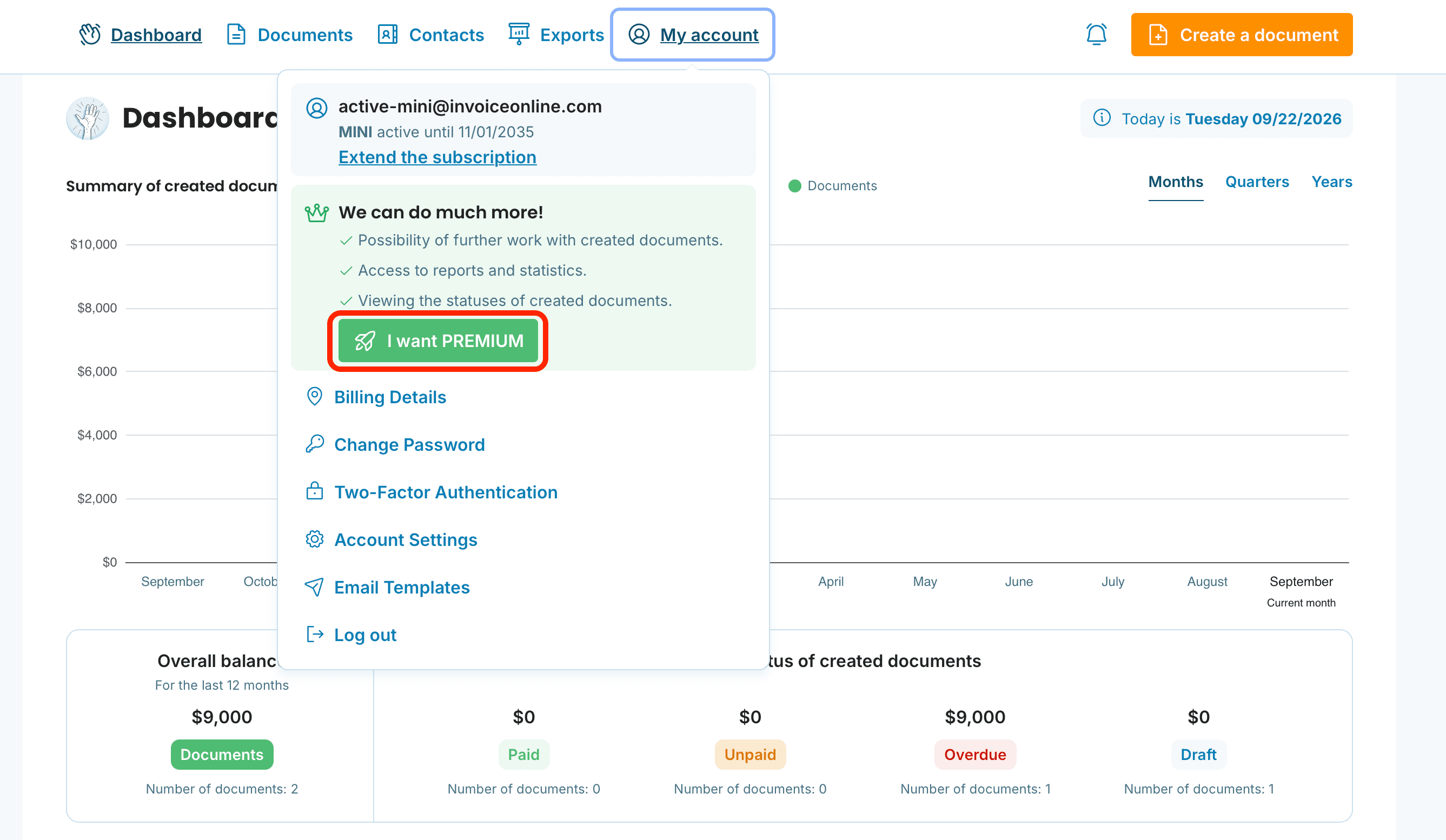
After logging into InvoiceOnline.com, click on the My Account section in the top bar. You will see an option to click the I want PREMIUM button. Just click and you're done!

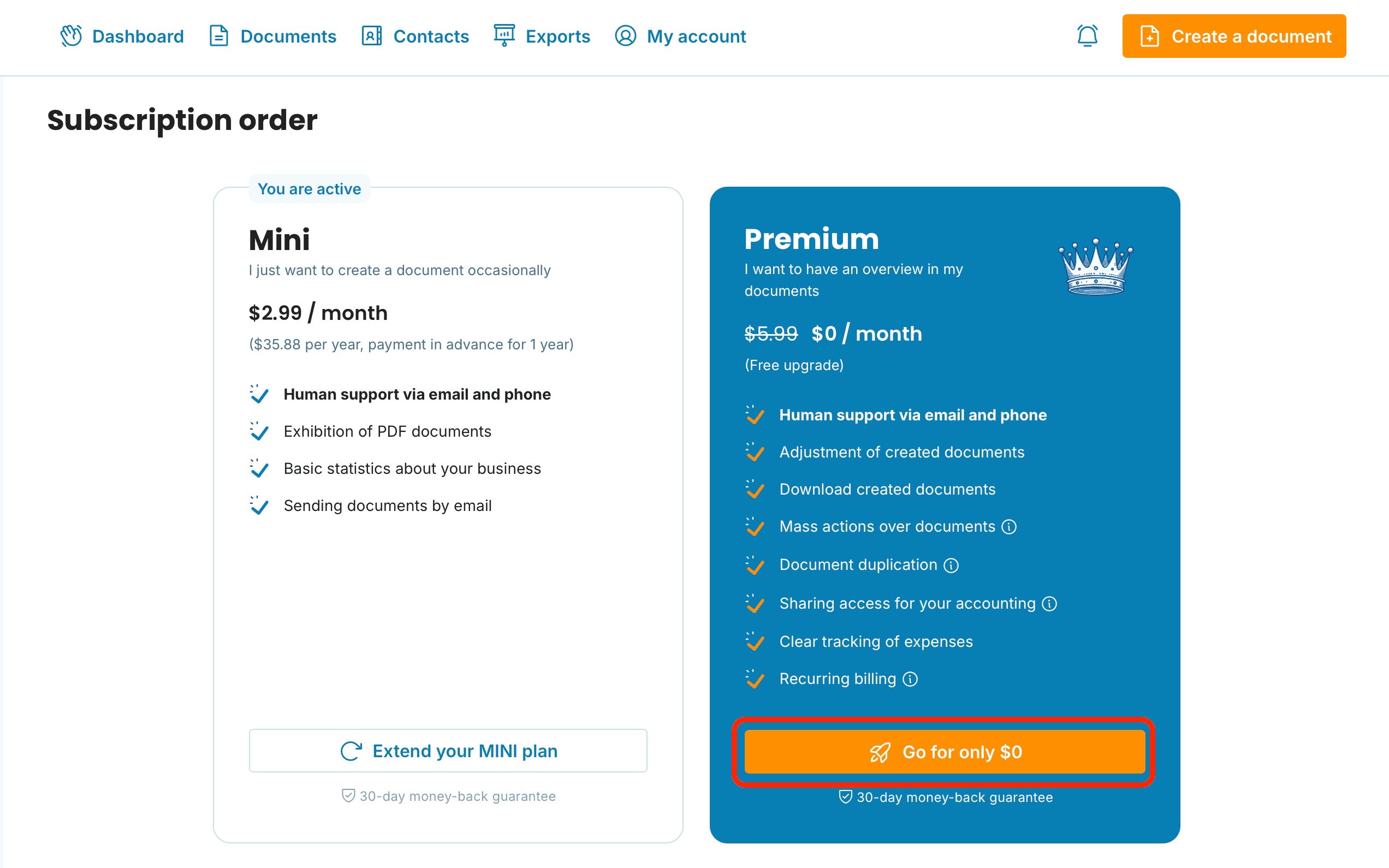
Read about the features that the PREMIUM plan offers.
Another option is to go to the My Account section - Extend the subscription, where you will click on the orange Go button.
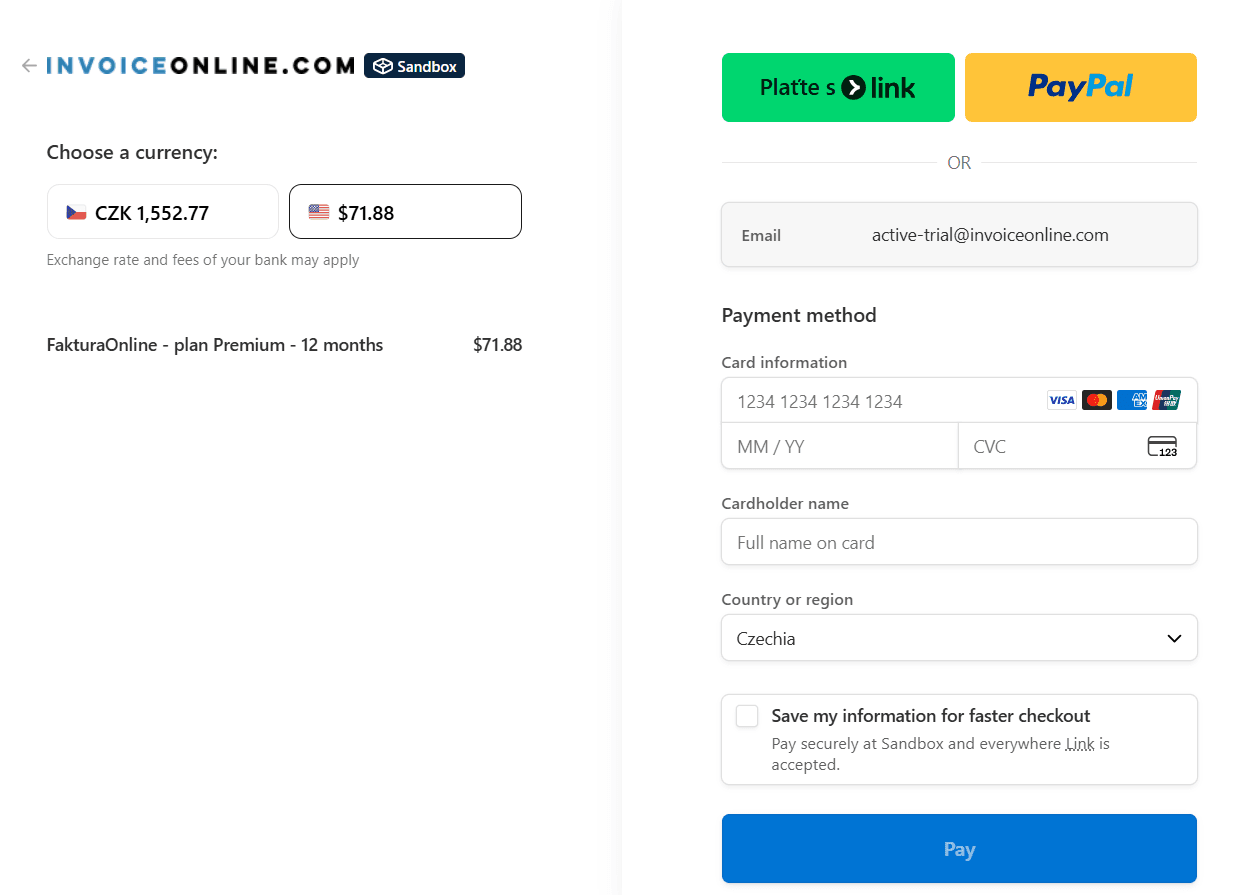
You will be redirected to a secure payment gateway and just need to make the payment to activate the PREMIUM plan.

When switching from the MINI plan to the PREMIUM plan, the price will automatically be reduced by the amount you have already paid for the MINI plan. So, you only pay the difference between the plans. However, the upgrade is always charged for a full year from the date of the plan change. For example, if you have the MINI plan paid for until February 2026 and decide to switch to PREMIUM in November 2025, the new PREMIUM plan will be activated immediately and will be valid until November 2026.
documents with easeCreate Document